Works Info
← Back to All Work

VR Maker — Navigation Redesign

Rethinking how users navigate virtual tours by redesigning the spatial layout of every control and introducing the Series feature.

Role
Lead Product Designer
Navigation architecture, spatial UI layout, Series feature design
Duration
4–5 months
Tools
Figma, After Effects, Jira
Team
Web Tsai Platform Director
Jafee Cho Product Manager
Jerry Liao Technical Manager
Abner Wang Front-End Developer
Sam Chen Front-End Developer
Jessie Hu Back-End Developer
Product by

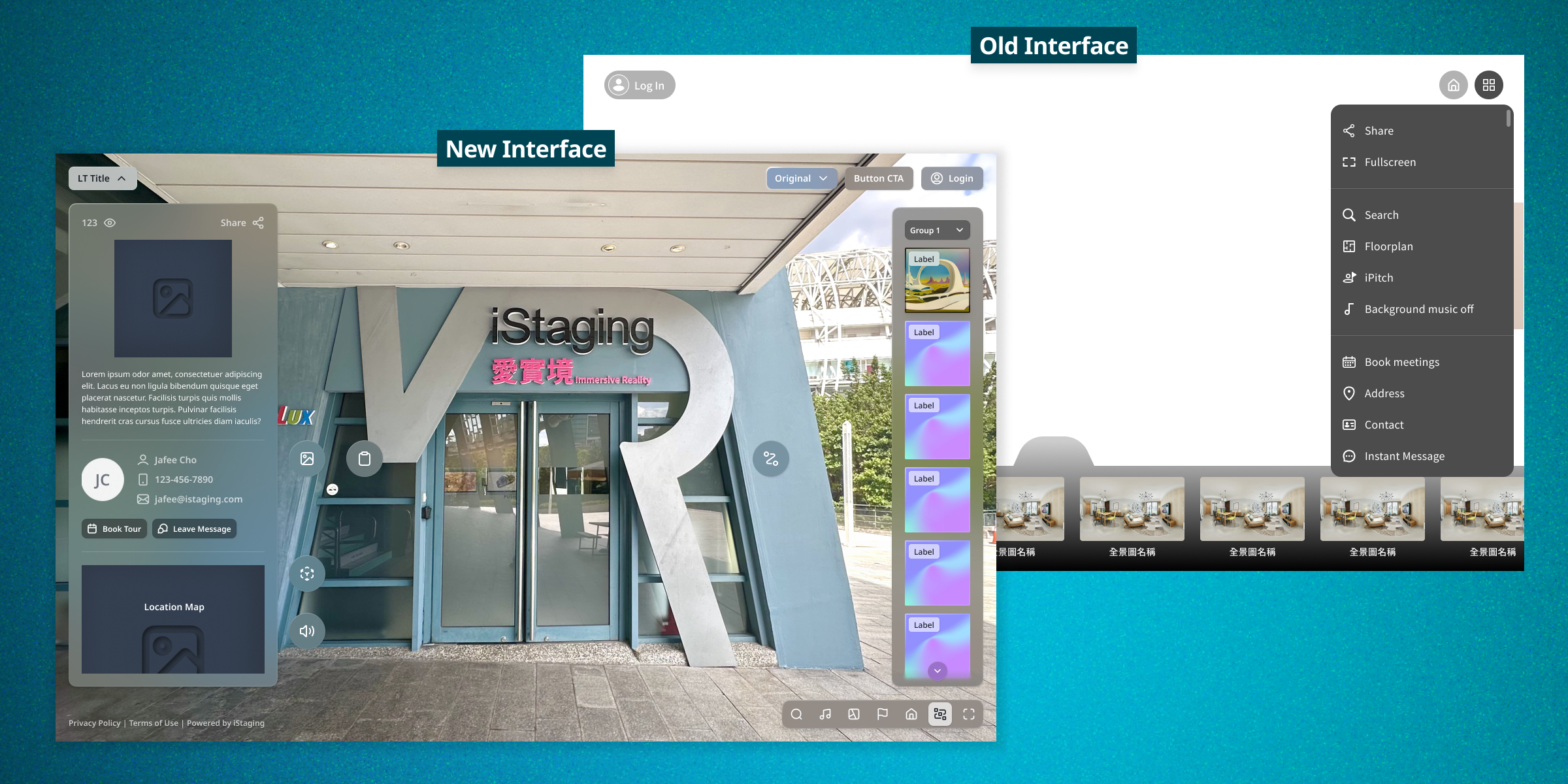
Everything was hiding behind a hamburger menu

The VR Maker tour viewer crammed every feature behind a single hamburger button with no hierarchy. Key tools like iPitch presentations, floor plans, and background music were buried 3+ clicks deep. Users routinely completed entire virtual tours without discovering these features existed. Meanwhile, the panorama navigation bar sat at the bottom of the screen, permanently blocking the most visually important part of the experience — the view itself.

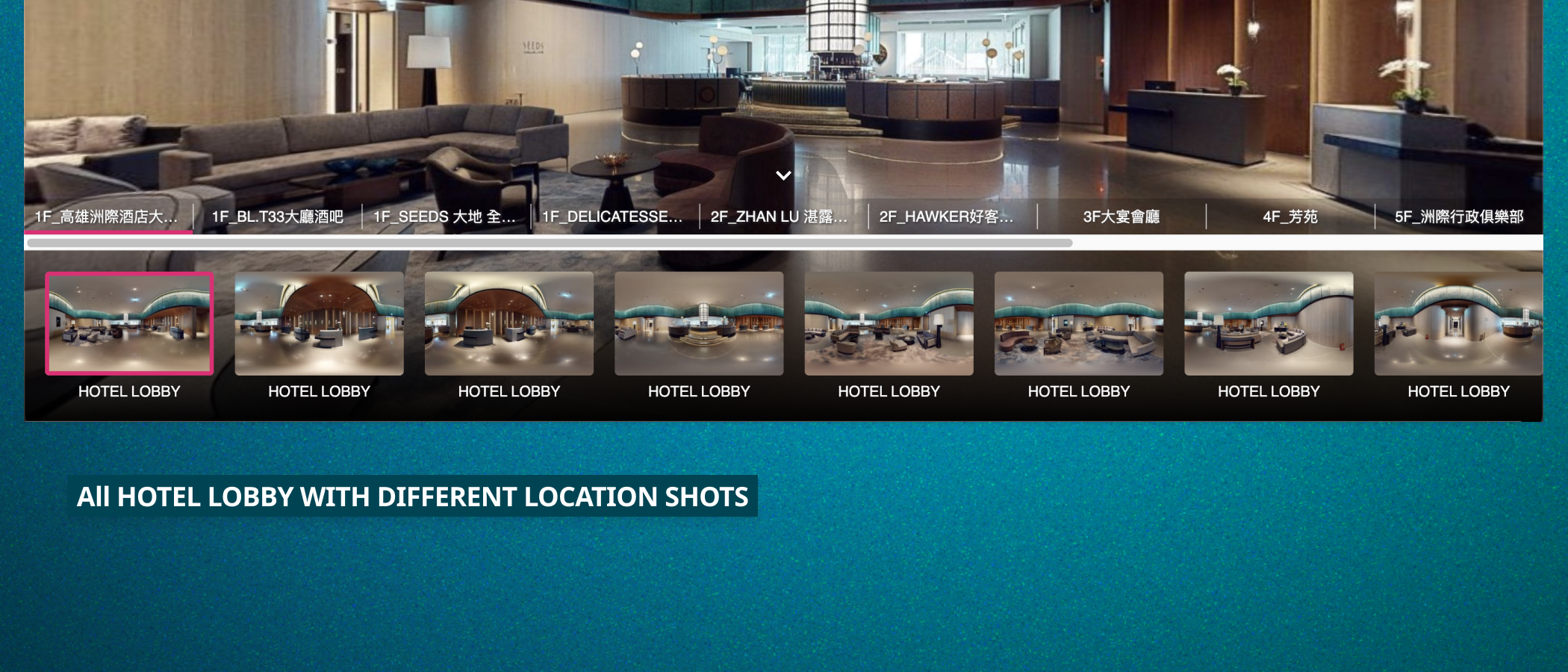
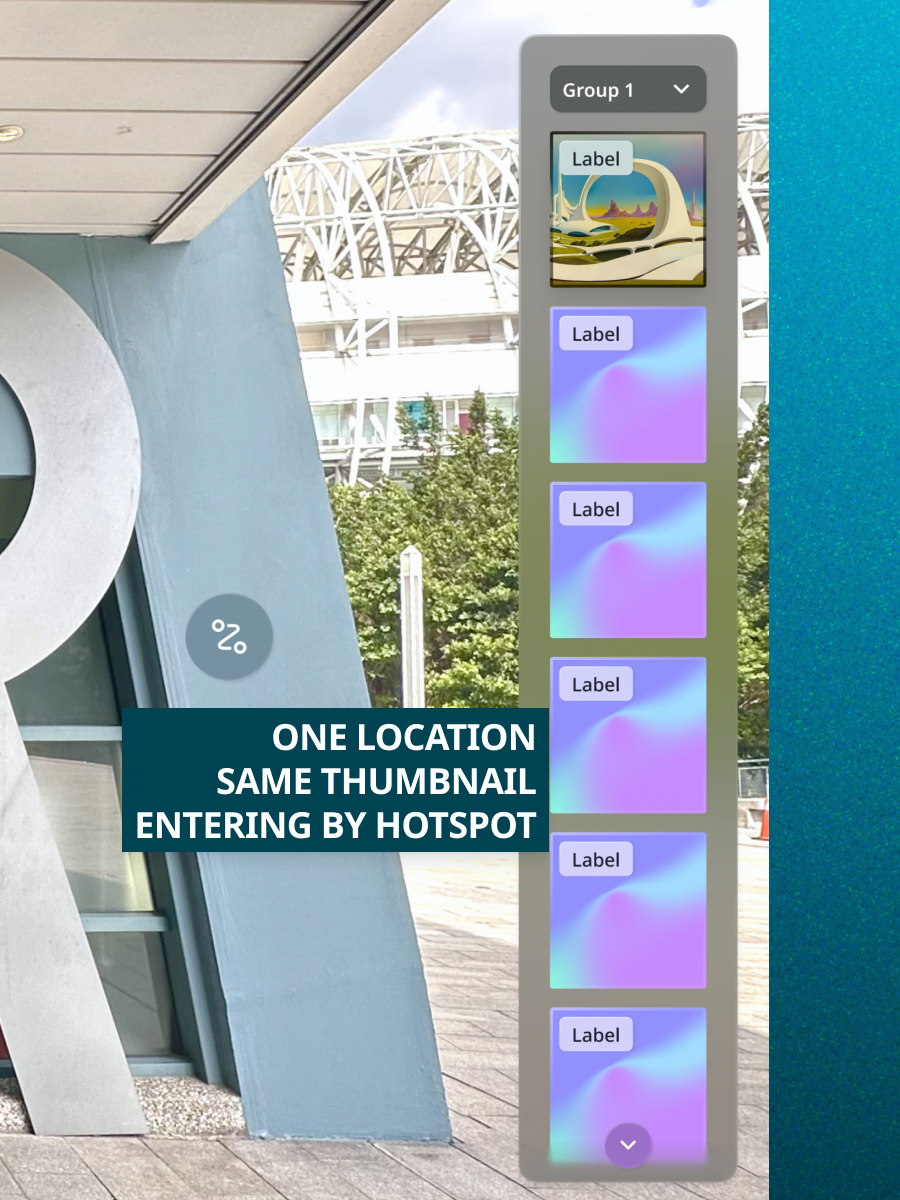
The panorama bar had a deeper problem: tours with many panoramas displayed every thumbnail in a flat list, even when multiple panoramas showed the same room from different angles. A large kitchen photographed from four positions showed four nearly identical thumbnails with the same title, creating confusion about which to select. Users needed a way to organize related panoramas into logical groups while keeping all rooms accessible through other navigation methods like marker tags.

3+
clicks required to reach key features like iPitch and floor plans. most users never found them
100%
of screen bottom blocked by the panorama bar. obscuring the immersive experience

Redesigning around how eyes actually work

Spatial Layout Analysis

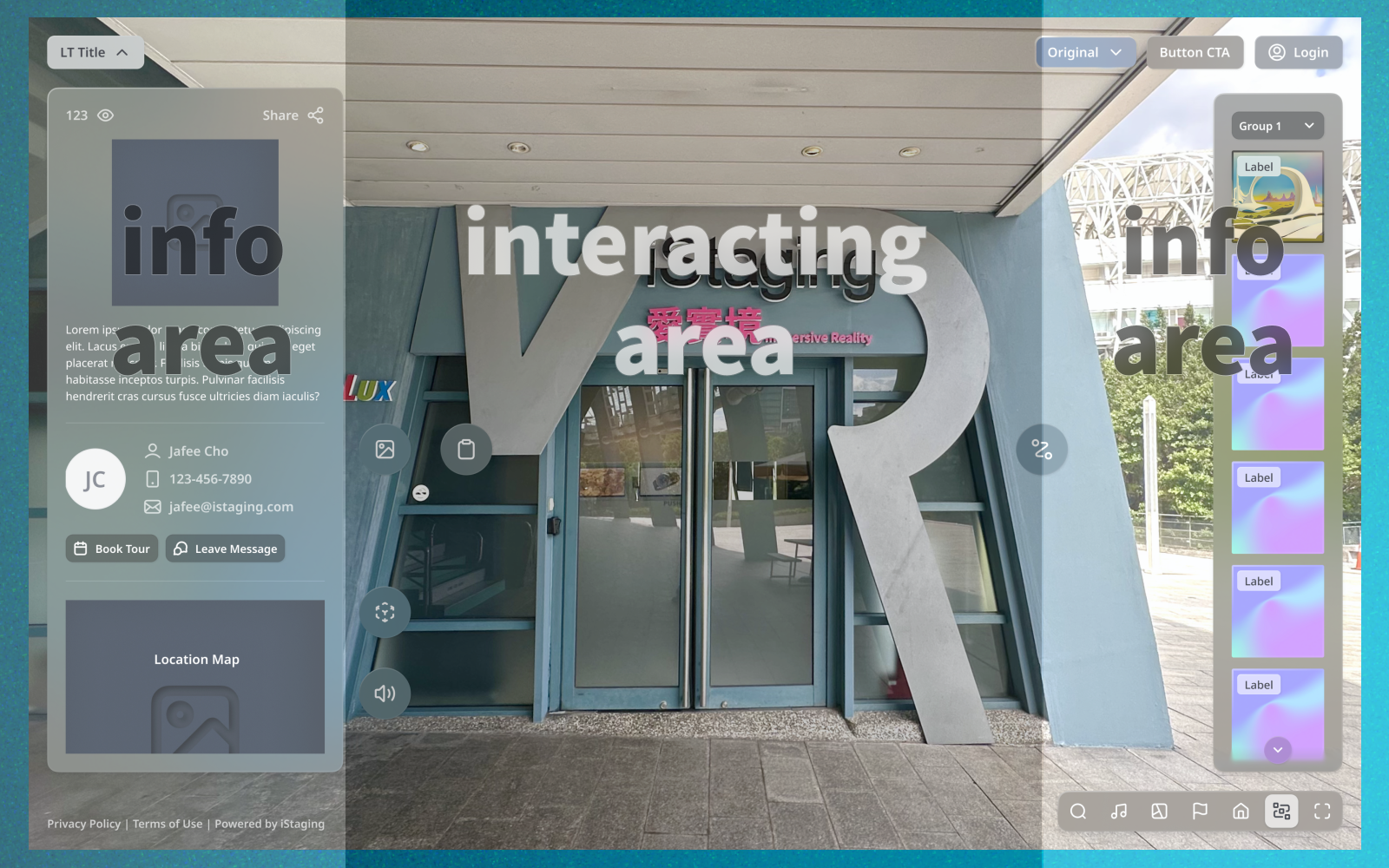
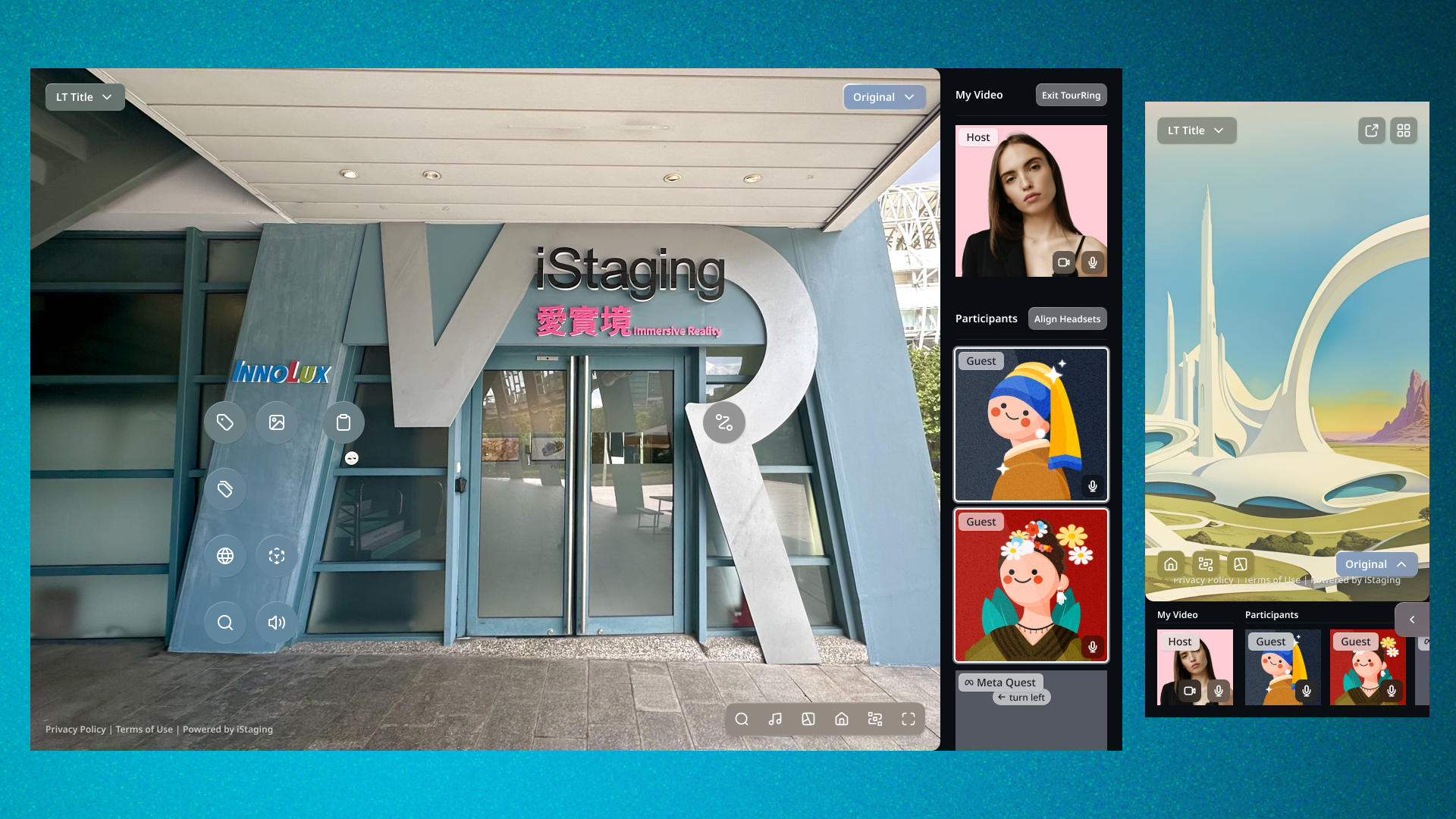
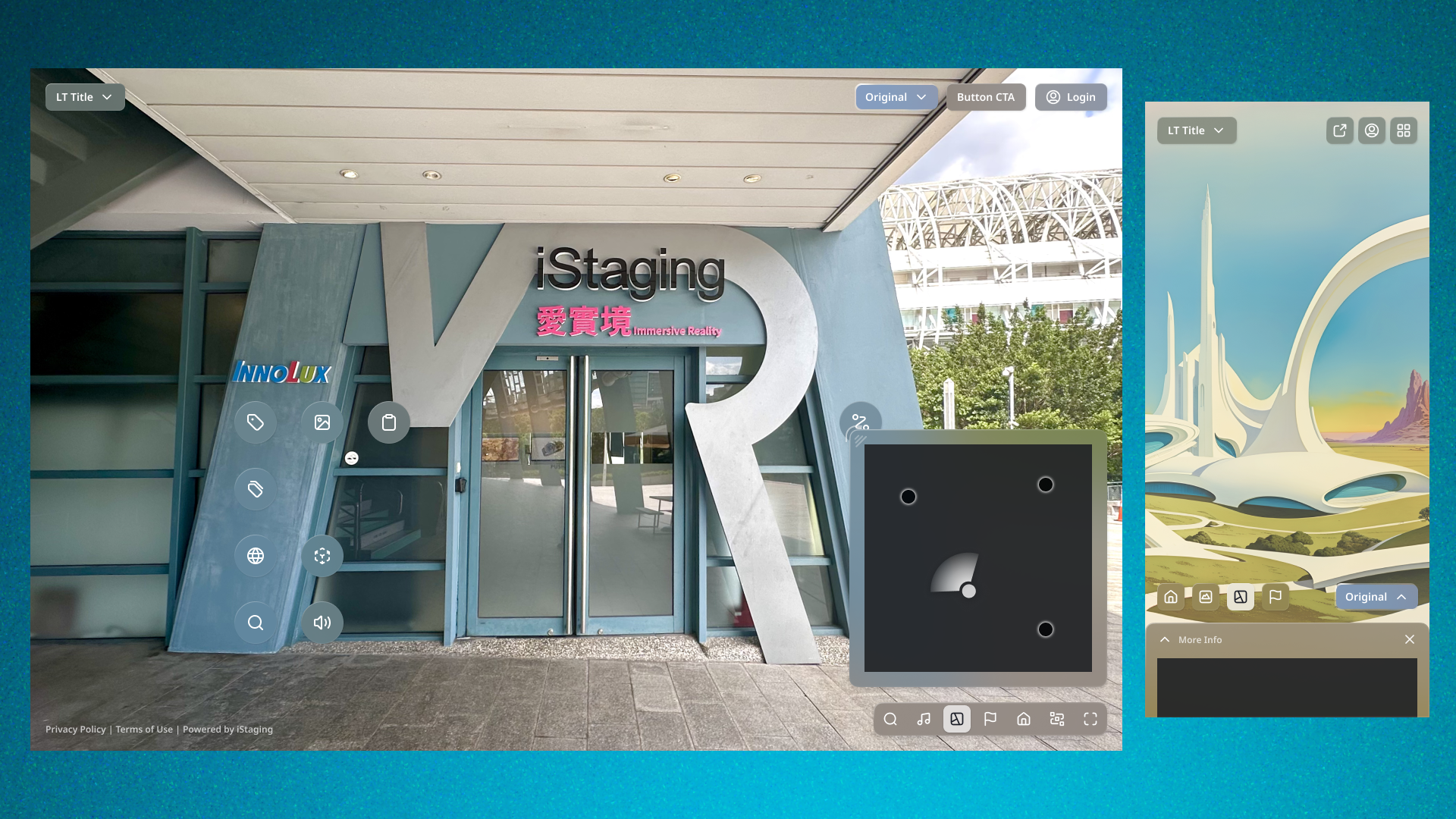
I studied how users visually scan virtual tour experiences. The human field of view is wide — we focus on the center and use peripheral vision for supplementary information. The old layout violated this: the main panorama bar competed with the center content at the bottom, while everything else hid behind a corner menu. I redesigned the control layout based on visual priority: center for the immersive experience (unobstructed), right side for the panorama bar (primary navigation tool), top for the info panel (dropdown from the tour title), and bottom-right for quick-action buttons (floor plan, iPitch, audio, etc.).

Info Panel Consolidation

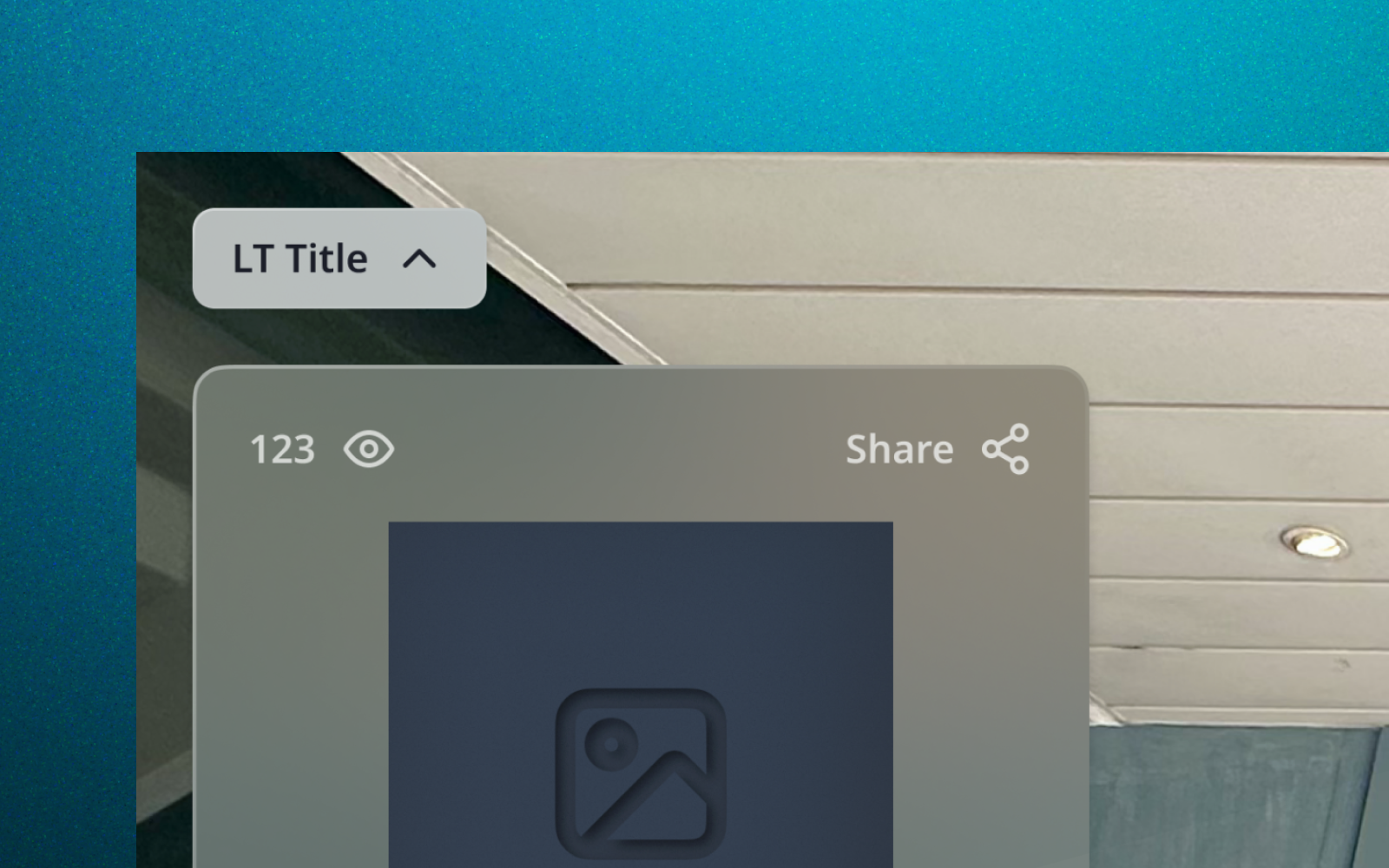
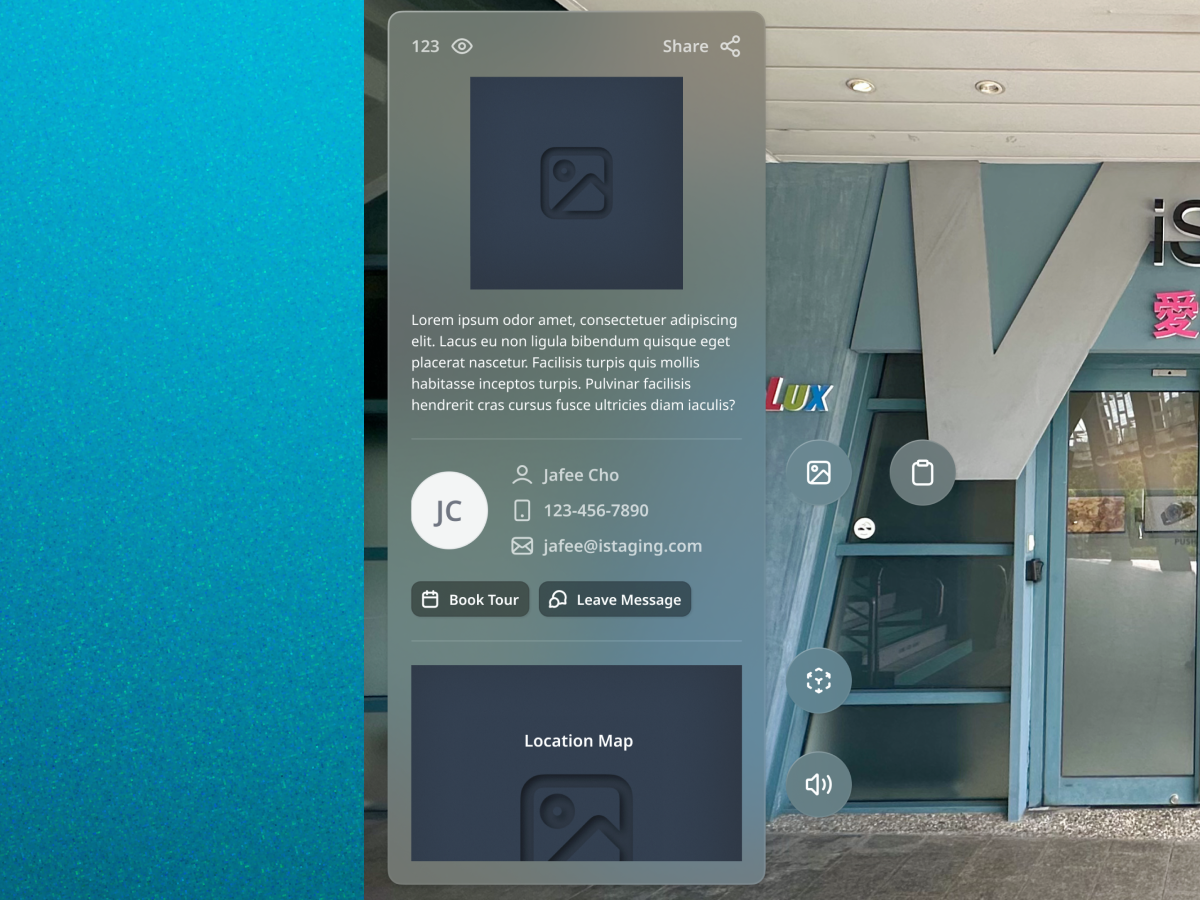
All tour metadata — owner info, description, contact details — now lives in a single dropdown panel triggered from the tour title. One tap reveals everything; no more hunting through nested menus. This freed the main interface for navigation and immersion rather than information display.

The Series Feature

The breakthrough feature was Series — allowing tour creators to group related panoramas into logical sets. A kitchen with four shooting angles becomes one thumbnail in the pano bar, with the ability to cycle through angles within that group. Creators drag and drop panoramas into series during editing, and viewers see a clean, organized bar that highlights the current series. Individual panoramas within a series remain accessible through marker tags and floor plan navigation, preserving all navigation paths while eliminating visual clutter.

Quick Action Groups

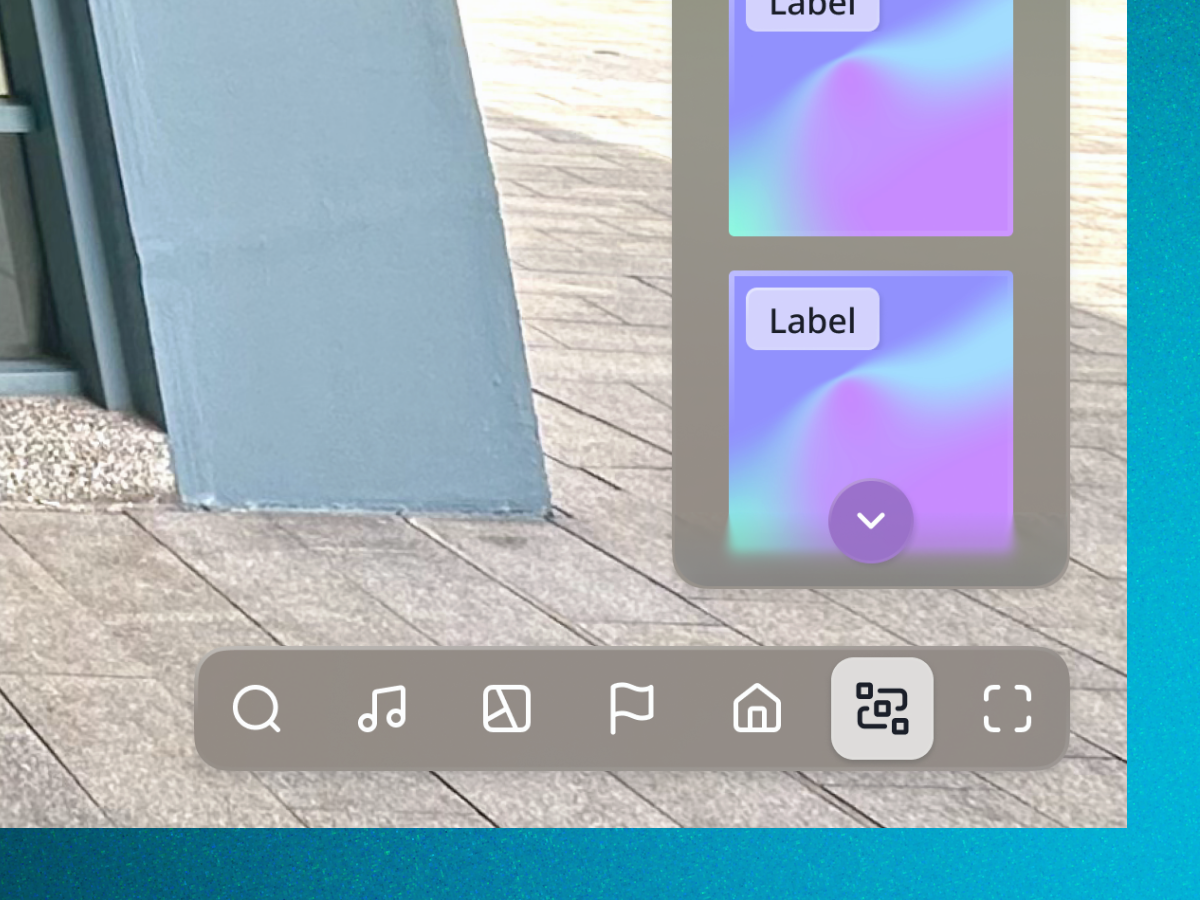
I designed a compact quick-action button group positioned at the bottom-right — within thumb reach on mobile, visually distinct from the immersive content. Floor plan, iPitch, background music, and other contextual tools are always one tap away. The buttons are contextual: only features available in the current tour appear, keeping the interface clean for simpler tours while scaling for feature-rich ones.

Clearing the view to improve the experience

UX Strategy 01

Visual field-based control placement

Rather than following convention (bottom bar, top menu), I placed controls based on how the human eye scans an immersive view: center stays clear for the content, primary tools move to the right edge, and contextual info drops from the top title. This layout lets the experience breathe while keeping every tool within one action.

Product Design 02

Series as an organizing metaphor

Series solved two problems at once: it reduced pano bar clutter for viewers (fewer, more meaningful thumbnails) and gave creators editorial control over tour presentation. Rather than showing every captured angle, creators curate which panoramas represent a space while keeping supplementary angles accessible through secondary navigation.

Information Architecture 03

One-tap info panel over nested menus

Consolidating all metadata into a title-triggered dropdown eliminated the need for the hamburger menu entirely. Users no longer need to understand a menu hierarchy — the tour title itself becomes the entry point to all contextual information. This reduced the average path to tour info from 3+ taps to 1.

Letting the experience take center stage

1
Tap to access any feature — down from 3+ clicks in the legacy navigation
0%
of the center viewport blocked — pano bar moved to right side
Currently in development — early user testing shows high satisfaction

The navigation redesign is in development with user testing showing strong positive reception. The Series feature addresses a long-standing frustration for both tour creators and viewers, and the spatial layout redesign gives the immersive content the visual priority it deserves.

This project taught me that navigation design for immersive experiences is fundamentally different from app navigation. The content IS the interface — every pixel of UI competes with the reason the user is there. The best navigation for an immersive viewer is the navigation you barely notice.

Experience the redesigned tour navigation — Series grouping, quick actions, and spatial control layout.