Works Info
← Back to All Work

iStaging ONE — Unified 3D Capture App

One app that captures panoramas, scans 3D objects, and manages immersive content across three product ecosystems.

Role
Design Lead
Cross-product UX strategy, capture workflow design, interaction design
Duration
6+ months (ongoing)
Tools
Figma, After Effects, Jira
Team
Web Tsai Platform Director
Jafee Cho Product Manager
Jerry Liao Technical Manager
Eason Yang App Developer
Jessie Hu Back-End Developer
Product by
Press & Media Cyberbiz App Market

Three product ecosystems, two capture paradigms, one mobile app

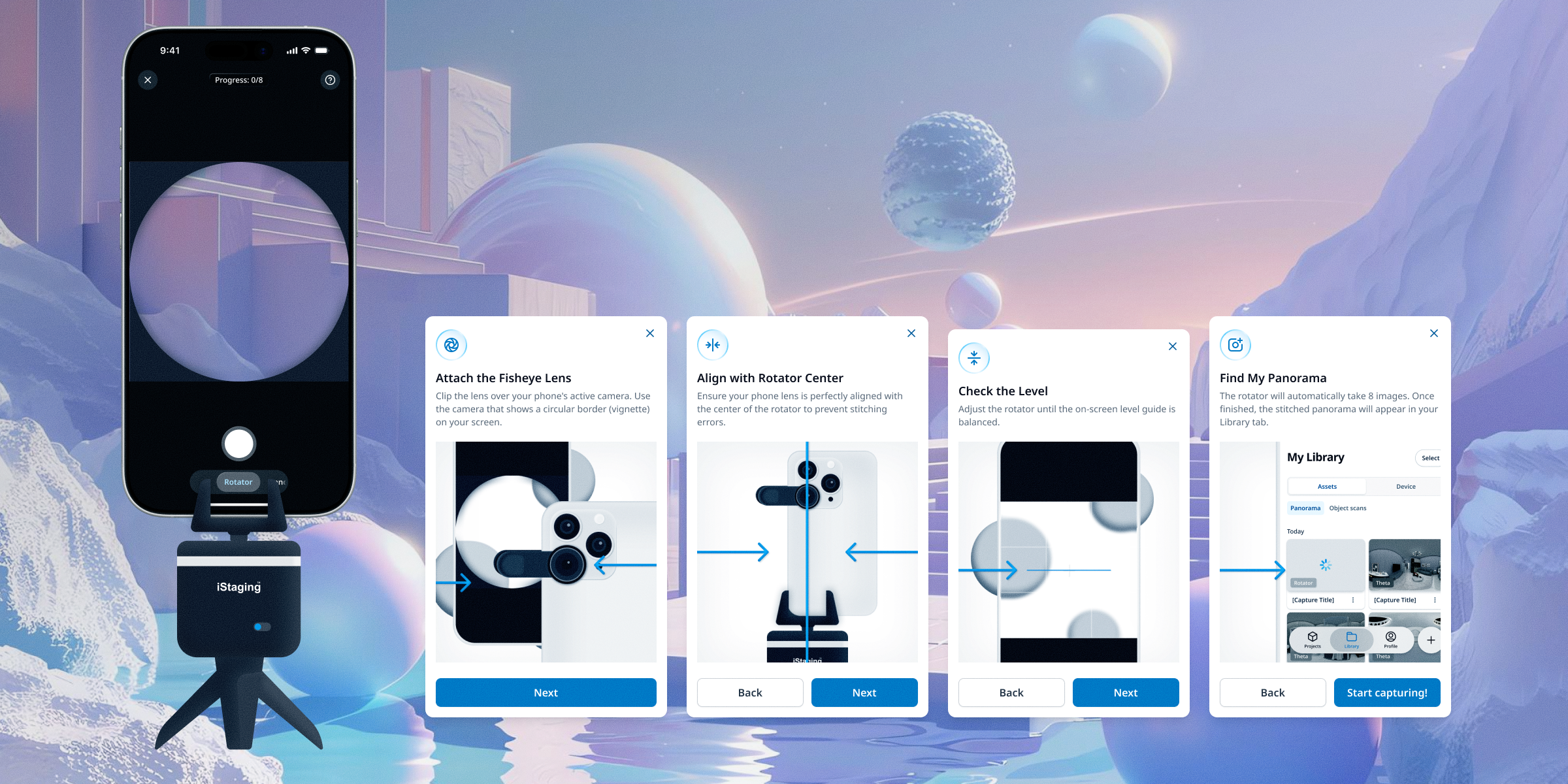
iStaging ONE needed to unify two fundamentally different capture paradigms into a single coherent experience. For panoramas, the phone lens must sit at the precise center of the iStaging Rotator for optimal stitching — a requirement that demanded clear setup guidance and real-time alignment feedback during the capture flow. As an alternative path, professional users connect a THETA 360 camera for higher-quality panoramic capture, introducing a hardware pairing layer on top of the shooting experience. For 3D object scanning, the technical constraints are entirely different: photogrammetry requires comprehensive coverage from multiple angles, but the optimal number of photos varies dramatically by object. Reflective materials like glass and chrome defeat photogrammetry algorithms; objects with repetitive textures confuse mesh reconstruction. Each failure mode needed to be anticipated in the capture UI, guiding users toward success without requiring them to understand the underlying computer vision.

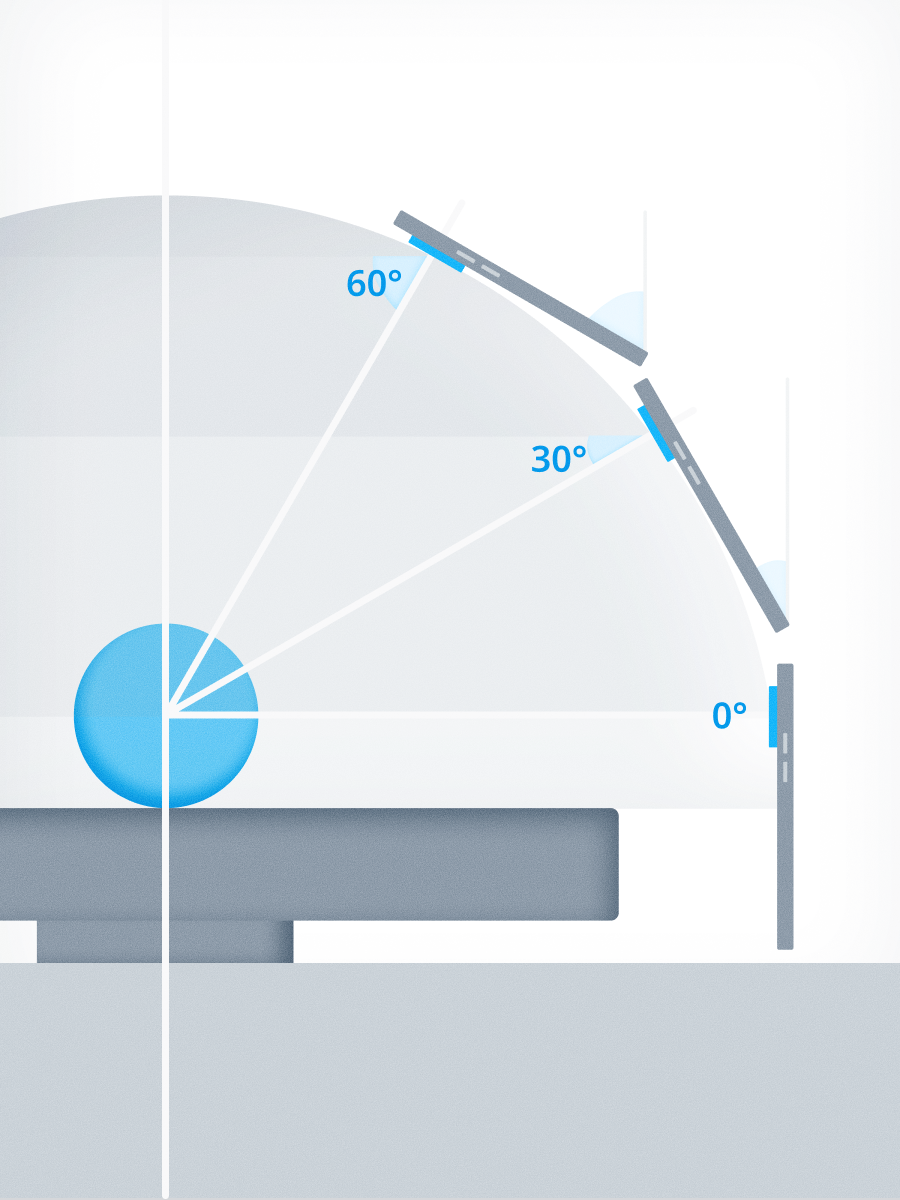
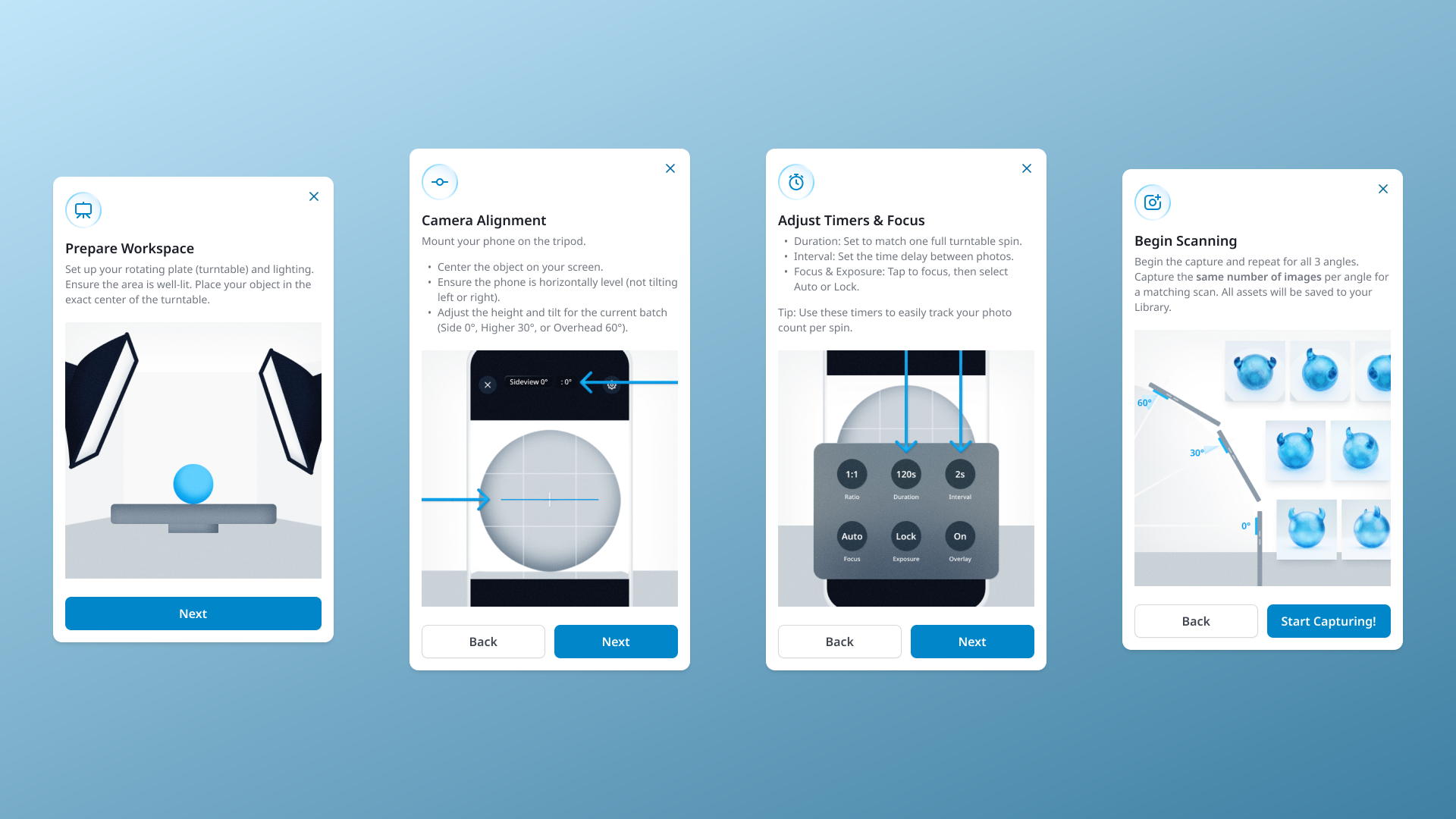
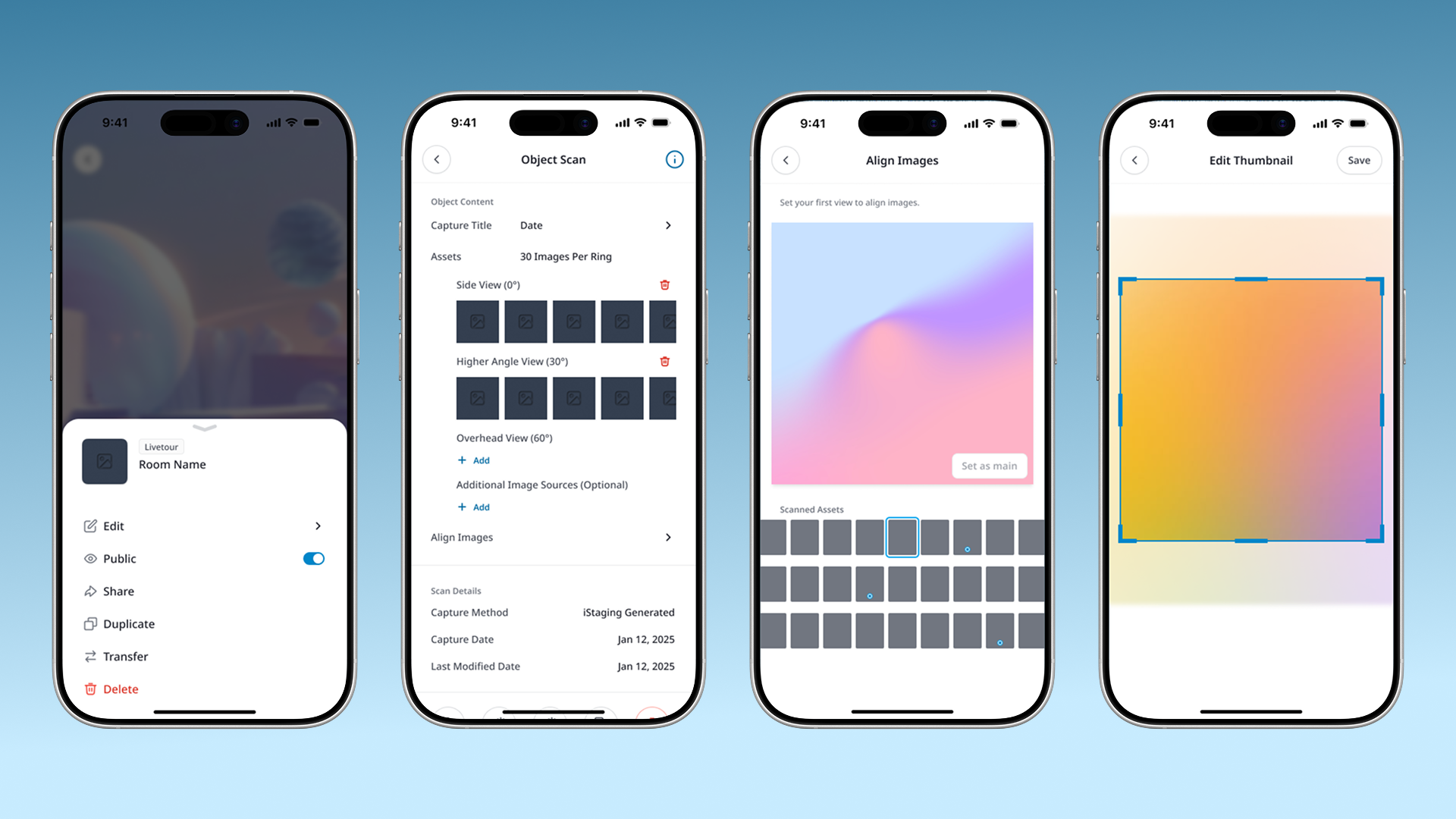
The team's strategic direction was pragmatic: ship a 3D capture method that delivers presentable results for the widest range of users before optimizing for advanced fidelity. I designed the ScanKit workflow as the primary 3D capture path — a guided turntable filming process where users photograph an object's exterior in a continuous horizontal sweep, then capture two additional elevated angles at 30° and 60° above. This three-angle technique produces a complete visual record that serves dual purposes: it immediately generates a drag-to-view 360° experience (sufficient for most e-commerce use cases), and the same photo set feeds into Gaussian Splatting and photogrammetry pipelines for users who need true 3D depth. The design challenge was making this branching output invisible to the user — they capture once and choose their output format after, rather than needing to understand reconstruction methods before they start filming.

2
capture paradigms with conflicting UX models. panoramas need precision alignment, 3D scanning needs spatial coverage
3
output formats (ScanKit, 3DGS, photogrammetry) from identical source photos. users choose after capture, not before
3
product platforms unified in one app. VR Maker, AR Maker, and META Maker previously required separate tools

Designing two capture worlds under one roof

Capture Method Research

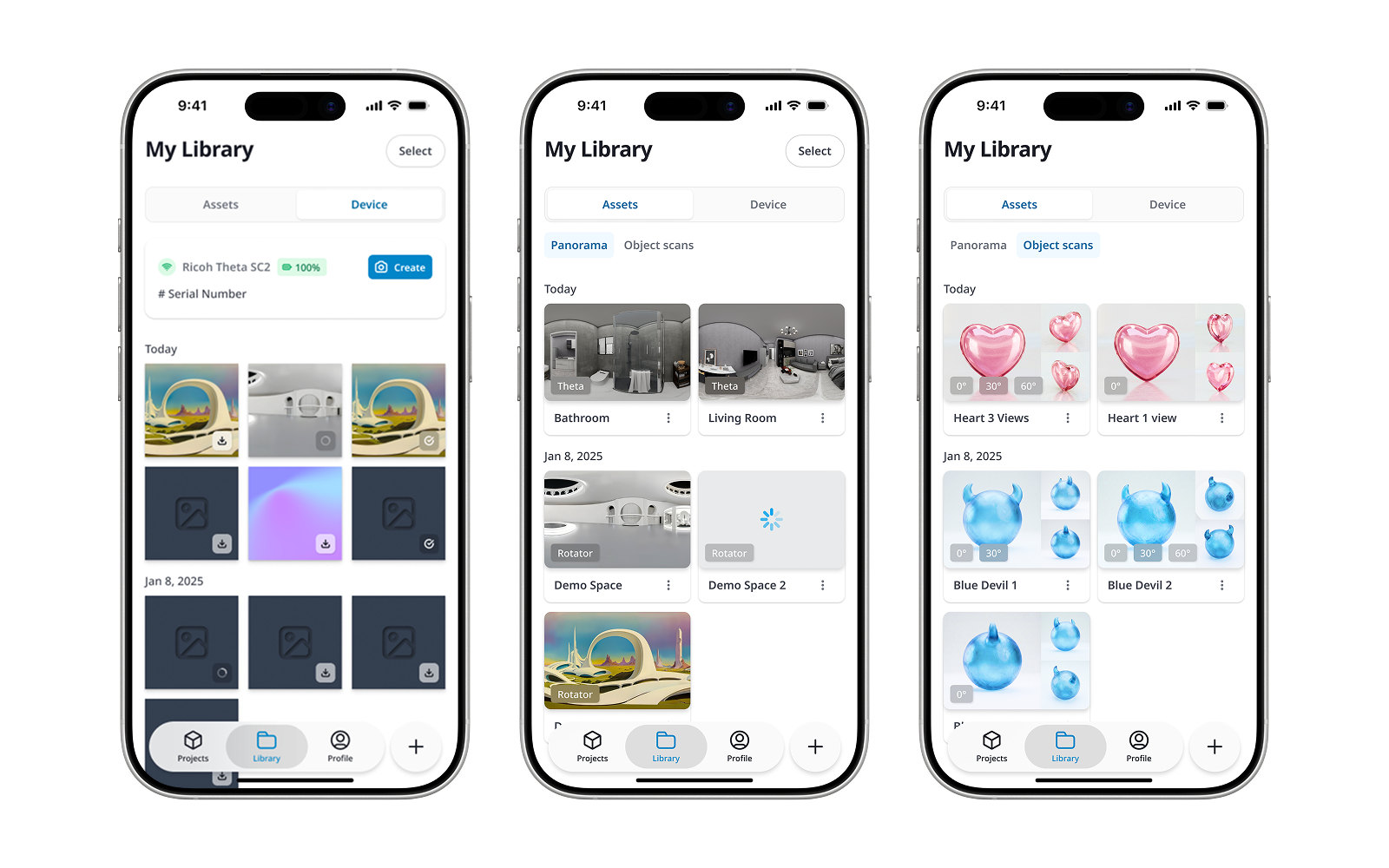
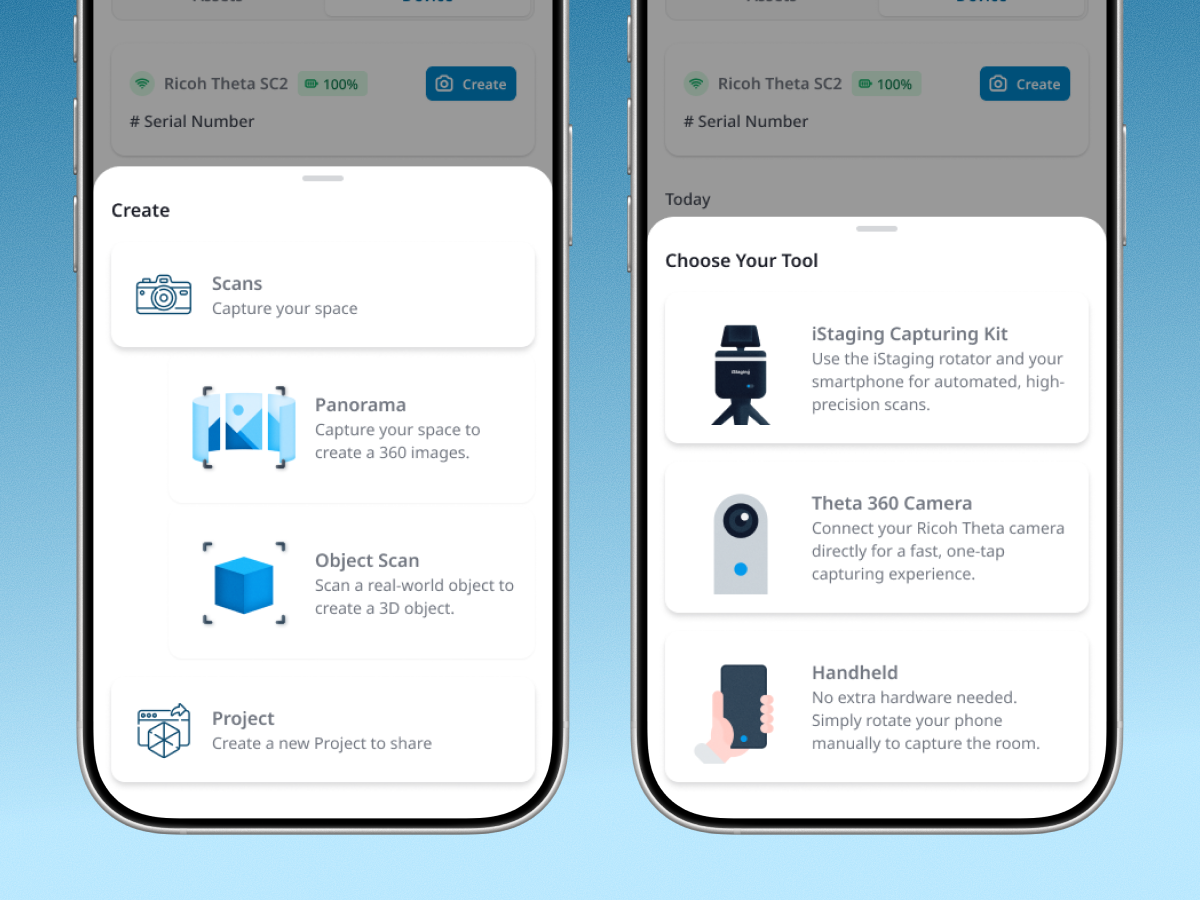
I mapped the complete content pipeline end-to-end: capture → asset library → project creation → preview → publish. For panoramas, two paths converge: the iStaging Rotator uses the phone camera with on-device stitching, while THETA integration connects to an external 360 camera for higher-fidelity capture. Both deposit into the same asset library. For 3D objects, ScanKit is the primary capture method — three-angle turntable filming that produces photos usable across multiple reconstruction pipelines. I also needed to support direct upload of standard 3D formats (OBJ, GLB, USDZ, SPLAT) for users who bring pre-made assets. The architectural breakthrough was identifying the asset library as the single convergence point. Regardless of how content enters the system, it flows through one unified layer before branching into platform-specific projects. This decision shaped every subsequent design choice.

Panorama Capture & LiveTour Creation

I designed two distinct but visually consistent capture experiences. iStaging Rotator guides users through phone-based panorama shooting with real-time stitching feedback. THETA integration handles device pairing, remote capture control, and automatic download. Once panoramas are in the asset library, users select multiple images to create a LiveTour — which generates a VR Maker project that can be previewed directly in the ONE App or published to the web. The creation flow makes the relationship between panoramas and tours explicit: select your rooms, arrange the sequence, publish.

3D Object Scanning & Multi-Format Output

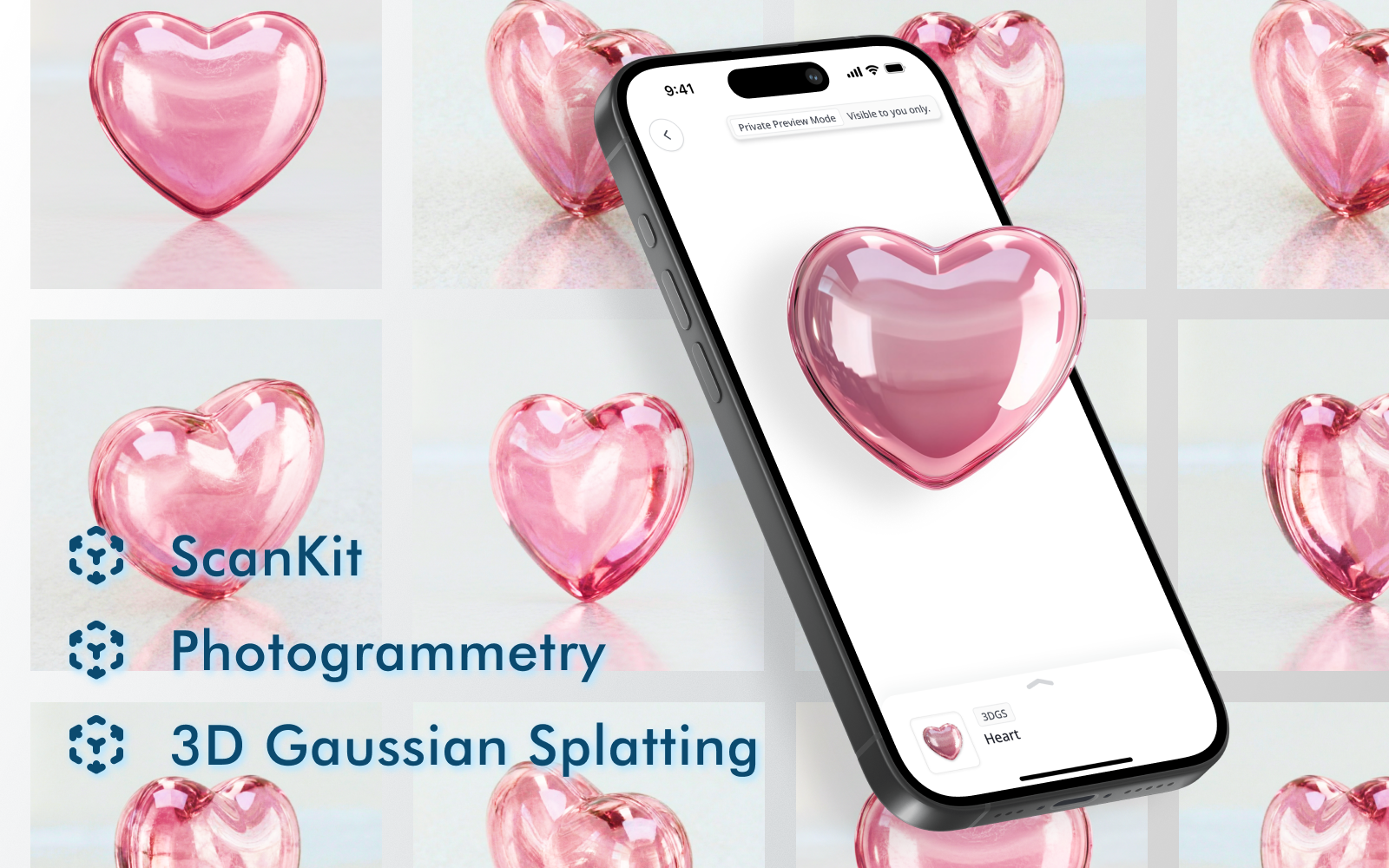
ScanKit is designed for accessibility — users film around an object on a rotating plate from three angles, producing a series of photos that create a 360-degree drag-to-view experience. For most users (e-commerce sellers, product showcasers), this format is sufficient and immediately useful. But for users who need true 3D depth — for AR placement, spatial viewing, or technical documentation — the app offers 3DGS and photogrammetry generation from the same ScanKit photo data. This means users capture once and choose their output format afterward, rather than learning different capture techniques for each format. All outputs create AR Maker projects, and users can also upload pre-made 3D files directly from their phone.

Projects and Assets Organization

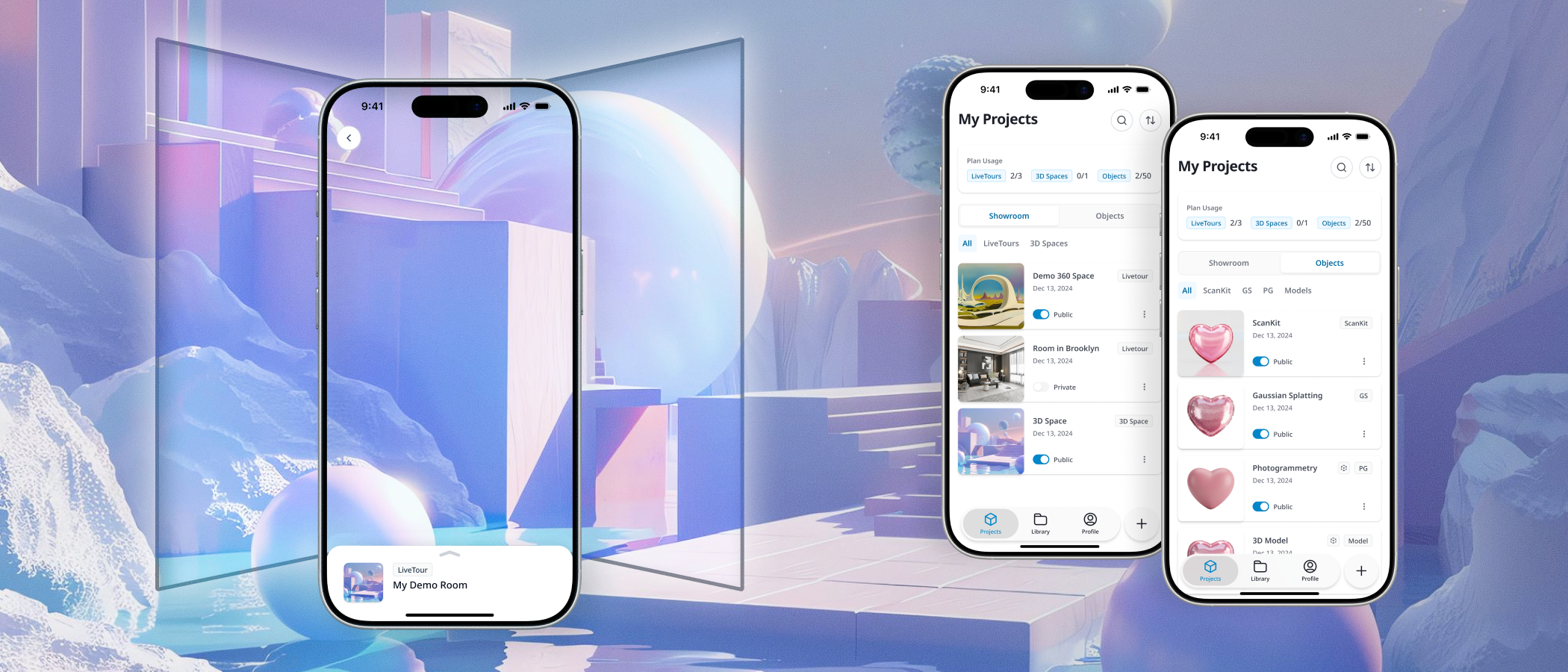
I designed the app's information architecture around two primary views: Projects and Assets. Assets represent raw captured content — panoramas, 3D scans, uploaded files — organized chronologically and by type. Projects represent publishable outputs: VR Maker LiveTours, AR Maker 3D experiences, and META Maker spatial content. This separation makes the mental model explicit: capture first (assets), create later (projects). Users who need quick results can jump from capture to project creation in three taps. Power users managing large content libraries can browse, tag, and organize assets independently before assembling them into projects. For complex editing beyond mobile capabilities, each project links directly to its web editor — the app handles capture and quick management, the browser handles deep authoring.

One capture, multiple possibilities

Product Architecture 01

Asset library as the convergence layer

Rather than building separate workflows per product platform, I designed the asset library as the single convergence point. Every capture method — Rotator, THETA, ScanKit, direct upload — deposits into the same organized space. Project creation pulls from this shared pool. This architecture means adding a new capture method or output format does not require restructuring the app — it just adds a new input or output to the existing pipeline.

UX Strategy 02

Capture once, choose output format later

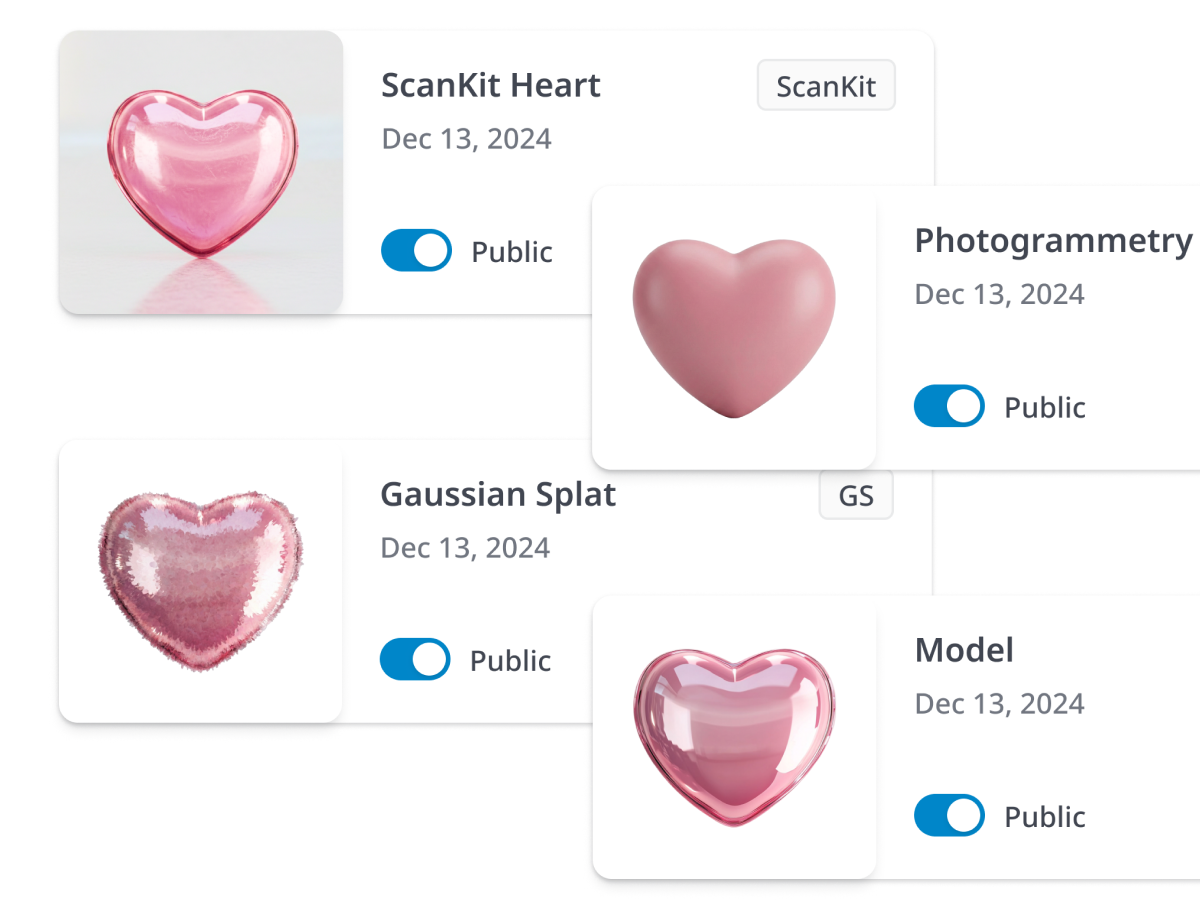
For 3D scanning, users capture ScanKit photos once using the accessible three-angle filming technique. From that single capture, they can generate a ScanKit drag-to-view experience, a 3DGS model, or a photogrammetry reconstruction. This removes the need for users to understand 3D formats before they start scanning — they capture what they see, then explore which output serves their needs. The technical decision happens after they have tangible results to compare.

Tiered Complexity 03

ScanKit for accessibility, 3DGS/PG for depth

Not every user needs true 3D reconstruction. ScanKit produces a visually compelling 360-degree drag-to-view experience that satisfies most e-commerce and product showcase needs without requiring 3D expertise. Advanced formats (3DGS, photogrammetry) are available as optional upgrades from the same data. This tiered approach means the app serves casual sellers and technical 3D professionals without forcing either group through the other workflow.

Early signals from beta

2+2
Panorama capture methods and 3D output formats unified in one app
3
Product platforms (VR Maker, AR Maker, META Maker) accessible from a single mobile experience
Target: increase activation rate for 3D capture features across all user segments

iStaging ONE consolidates capabilities that previously required three separate tools into a single mobile experience. The app serves the full user spectrum — real estate professionals capturing panoramic tours, e-commerce sellers creating product showcases, 3D professionals generating photogrammetry reconstructions — all through one coherent capture-to-project pipeline. By shipping ScanKit as the accessible default and positioning 3DGS and photogrammetry as depth upgrades from the same data, we removed the steepest barrier to 3D adoption: requiring users to understand reconstruction technology before they can start capturing.

The most valuable design decision was making the asset library the architectural center of the app rather than organizing around product platforms. Users think in terms of their content (my panoramas, my 3D scans), not in terms of which platform hosts it (VR Maker vs. AR Maker). By centering the experience on assets and making project creation a downstream action, the app stays intuitive even as the number of capture methods and output formats grows. The tiered complexity approach for 3D — ScanKit for accessibility, 3DGS/PG for depth — ensures we do not lose the majority of users who just need something that works.

Walk through the unified capture experience — from scanning to method comparison.