Works Info
← Back to All Work

iStaging Design System — From Zero to AI-Ready

Building a design token system from scratch in Figma, then bridging it to Claude for AI-powered prototyping and development.

Role
Sole Designer & System Owner
Token architecture from scratch, Figma variables & styles, component library, AI workflow integration with Claude, developer handoff
Duration
Ongoing
Tools
Figma (Variables, Modes, Styles), Claude Code, AI Design Workflows
Team
Valerie Lin Sole Designer & System Owner
Product by

No system, no shared language

iStaging builds multiple products — VR Maker, CURATOR, ONE App, the Vision Pro viewer, client projects like the SEIC configurator — but there was no design system at all. Each product had evolved its own visual language, spacing conventions, and component patterns. Colors were hardcoded per file, spacing was inconsistent across screens, and every new product meant rebuilding basic components from scratch. Designers made decisions in isolation. Developers interpreted specs differently each time. There was no single source of truth.

I saw the cost of this fragmentation compound with every product launch and decided to build a system from scratch. But this wasn't just a visual consistency problem — it was a structural one. Every iStaging product has two faces: a CMS editor where users manage content, and a spatial viewer where they experience it. These two contexts need fundamentally different visual treatments, yet they were being designed and built independently every time. I needed to solve two problems in sequence: first, research industry standards and build a Figma token architecture that serves both interface paradigms from a single source. Second, take that structured foundation and connect it to AI workflows through Claude — combining the .fig files with the codebase so that prototyping, iteration, and development all start from a shared, branded source of truth.

60%
faster design-to-dev handoff — developers reference tokens directly instead of interpreting static specs
fewer iteration rounds — shared variables mean feedback changes propagate instantly across all screens
1
shared context file for designers, developers, and AI — everyone reads from the same source

From zero to Figma, from Figma to Claude

Research — Learning from Industry, Designing for iStaging

Before building anything, I studied how established design systems solve the problems I was facing. Google's Material Design, Ant Design, Atlassian's design system, Apple's Human Interface Guidelines — each is architected to serve its own product context. Material Design prioritizes cross-platform consistency for a massive app ecosystem. Ant Design is built for dense enterprise interfaces. What became clear is that no existing system could be adopted wholesale — every successful design system is shaped by the specific problems its products need to solve.

I audited every iStaging product and evaluated what we actually needed. The audit revealed over 40 unique color values where there should have been 12, three different spacing scales in active use, and zero shared components across products. But it also surfaced a crucial structural insight that became the foundation for everything I built.

Two Modes, One System — The Core Architectural Insight

After researching industry standards and evaluating the company's actual product needs, I identified two crucial insights that shaped the entire token architecture. Most iStaging products contain two distinct portions: a CMS editor for content management, and a spatial viewer for immersive 3D/VR experiences. These two contexts demand fundamentally different visual treatments. The CMS editor needs minimal, clean design — clear hierarchy, neutral surfaces, and obvious navigation so users can focus on managing content without visual noise. The spatial viewer needs transparency and glass-based UI — interface elements that overlay rich 3D backgrounds without blocking the immersive experience.

To reduce development resources and align the visual language across both contexts, I structured the design token architecture so it can adapt to both: solid-background mode for CMS interfaces (clean surfaces, strong contrast, standard elevation) and glass-overlay mode for spatial viewers (transparency, blur, subtle borders against dynamic backgrounds). The same components, the same token names, the same code — but two fundamentally different visual expressions controlled by a single mode switch. This meant developers build a component once and it works in both contexts, cutting implementation effort nearly in half.

Building Figma Design Tokens

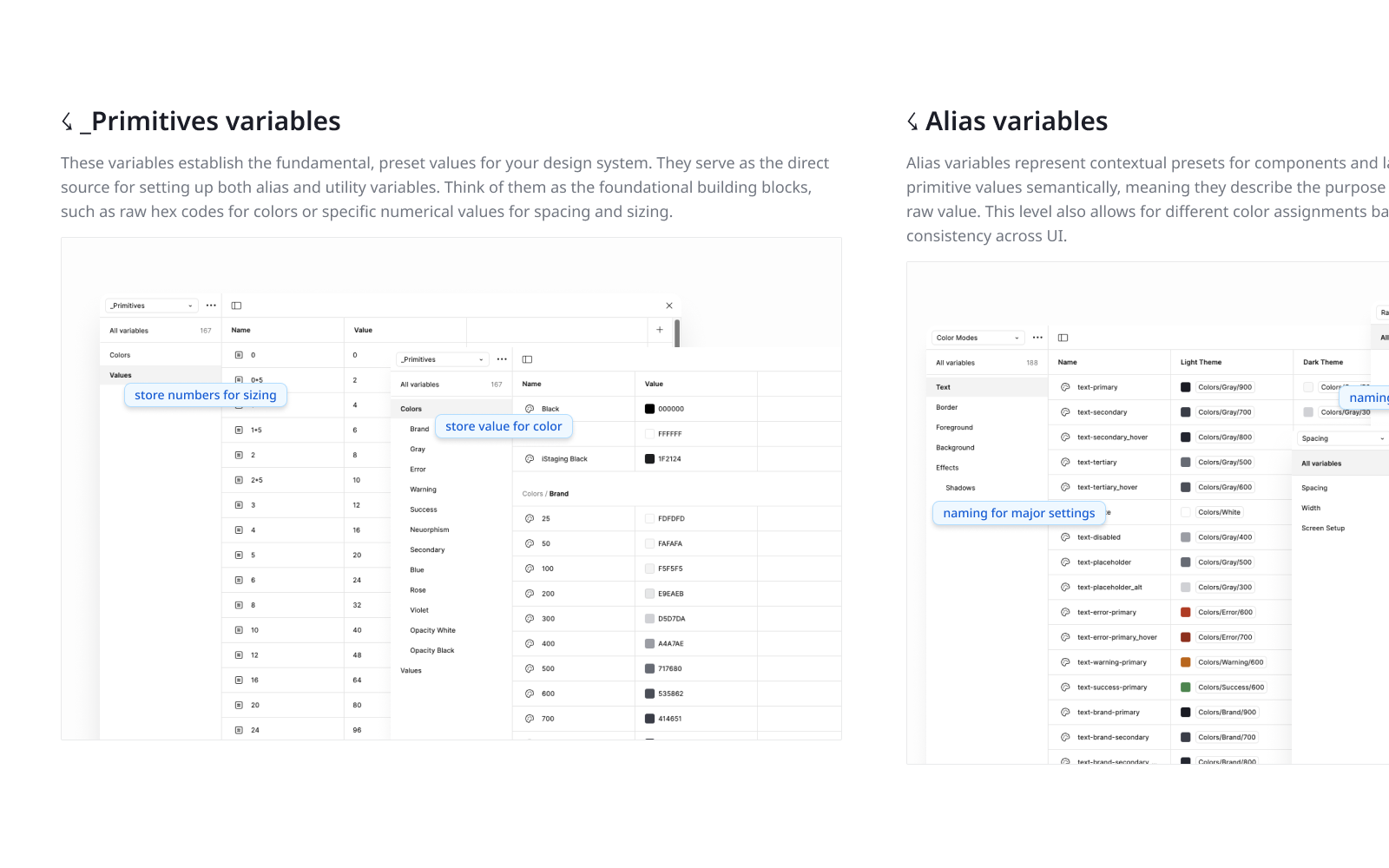
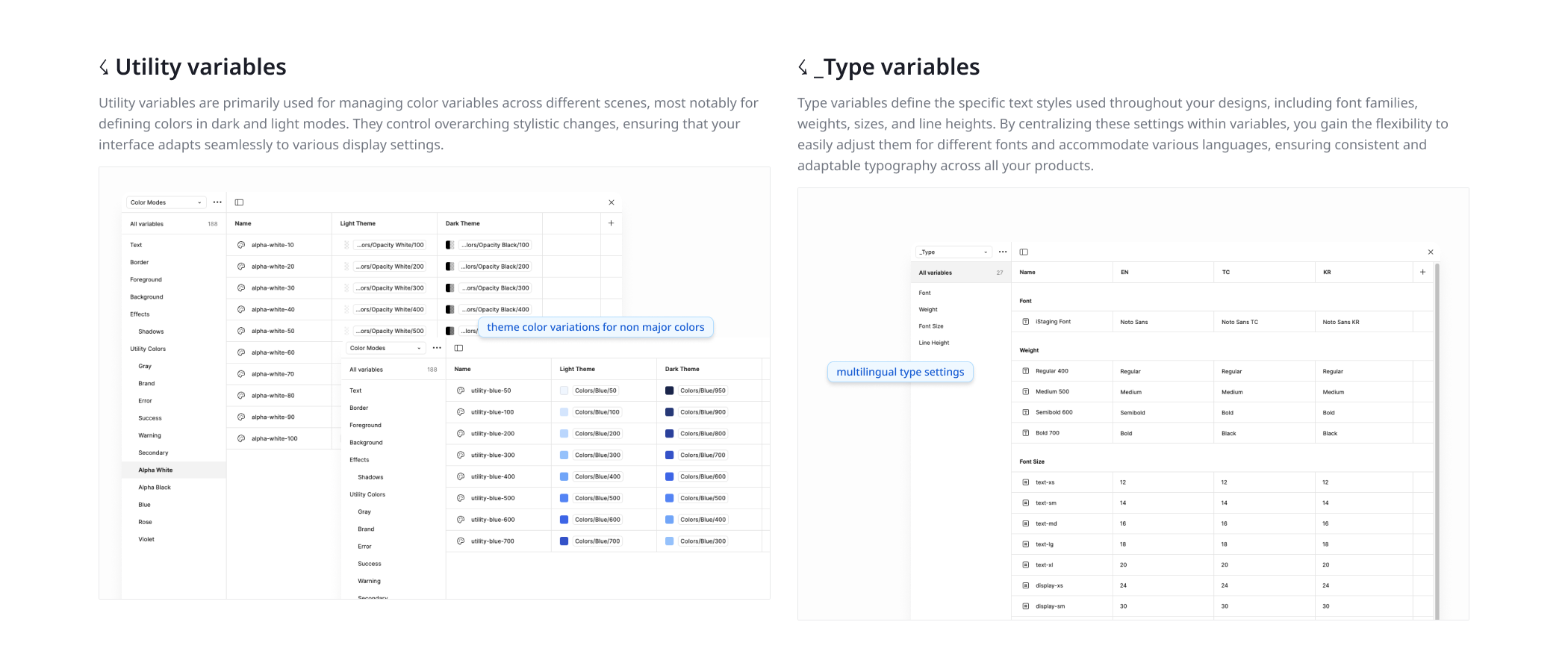
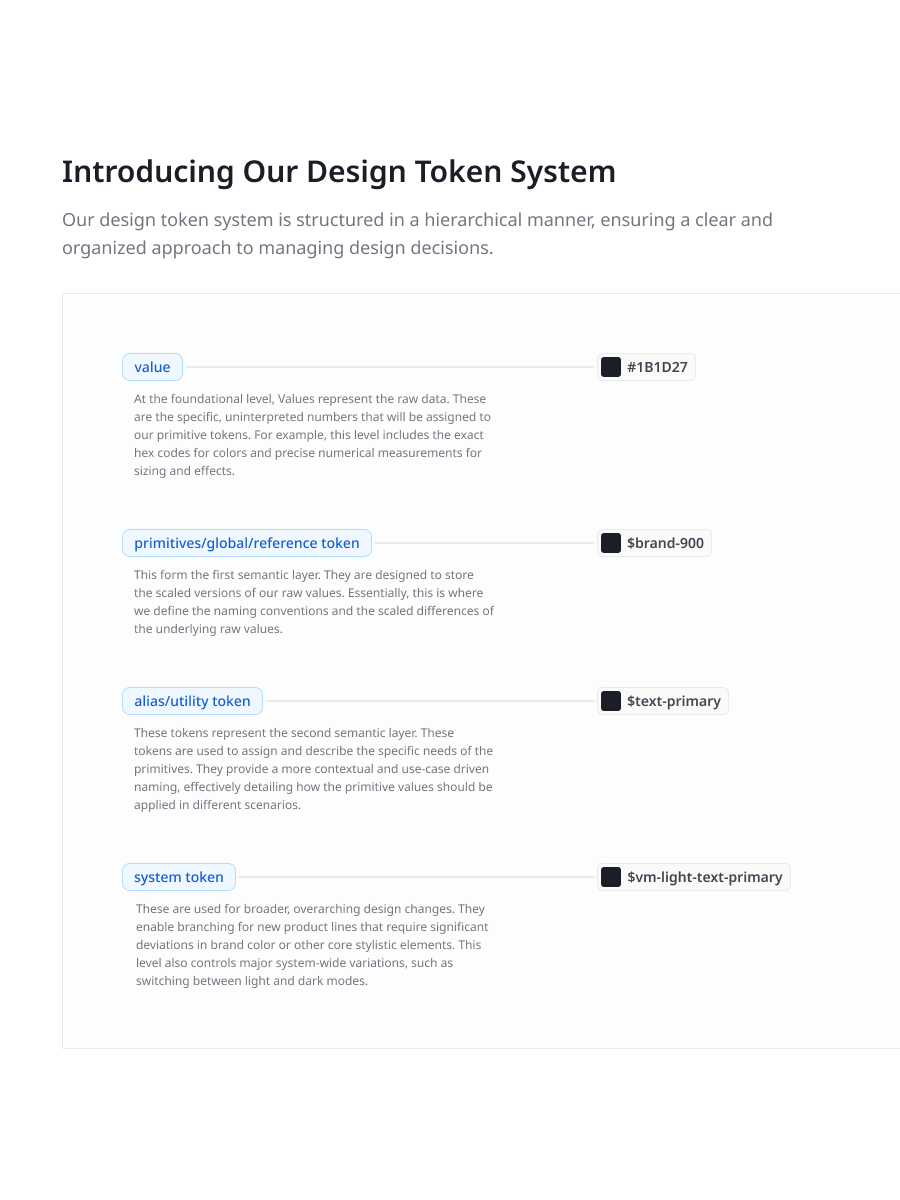
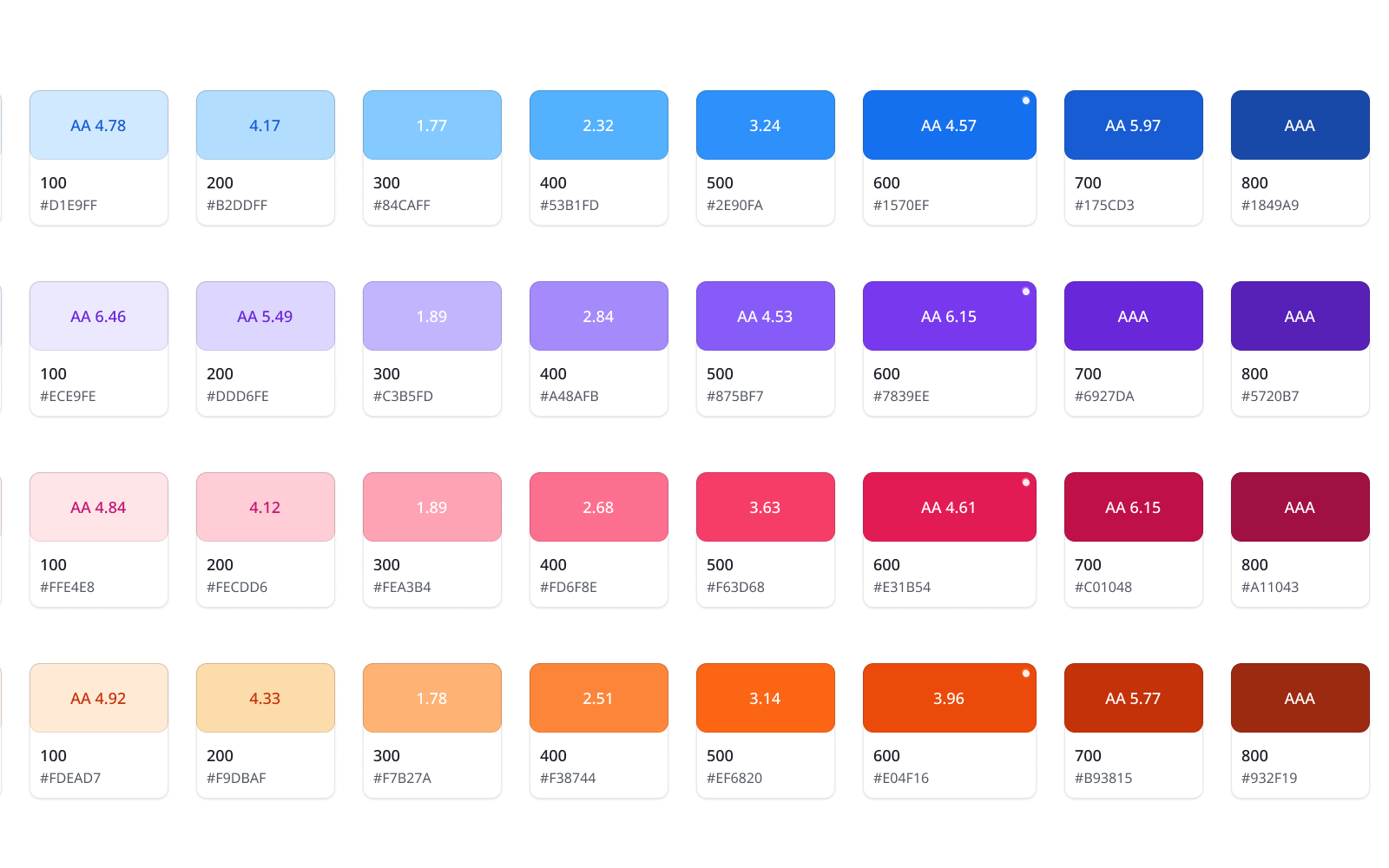
I designed a three-tier token system from scratch: primitive tokens (raw values), semantic tokens (purpose-based naming like text-primary, surface-elevated), and component tokens (button-bg, input-border). Every token name mirrors how developers implement CSS custom properties — the design convention and the code convention are the same language. I created design variables inside Figma so that every color, spacing value, border radius, and type scale is a variable, not a hardcoded style. This means changing a brand color at the primitive level cascades correctly through every semantic reference and every component, across every product.

Design Styles & Multi-Product Theming

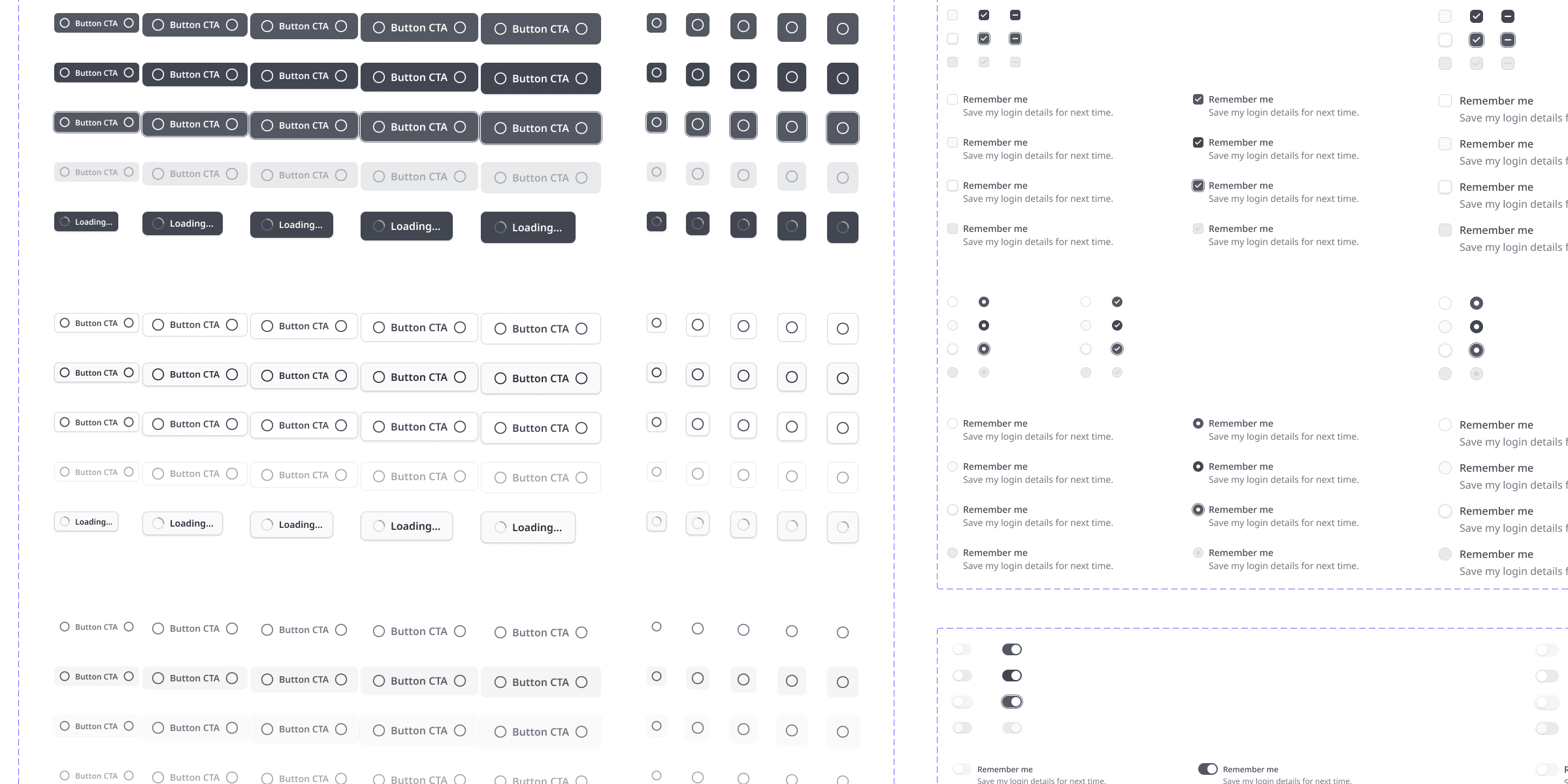
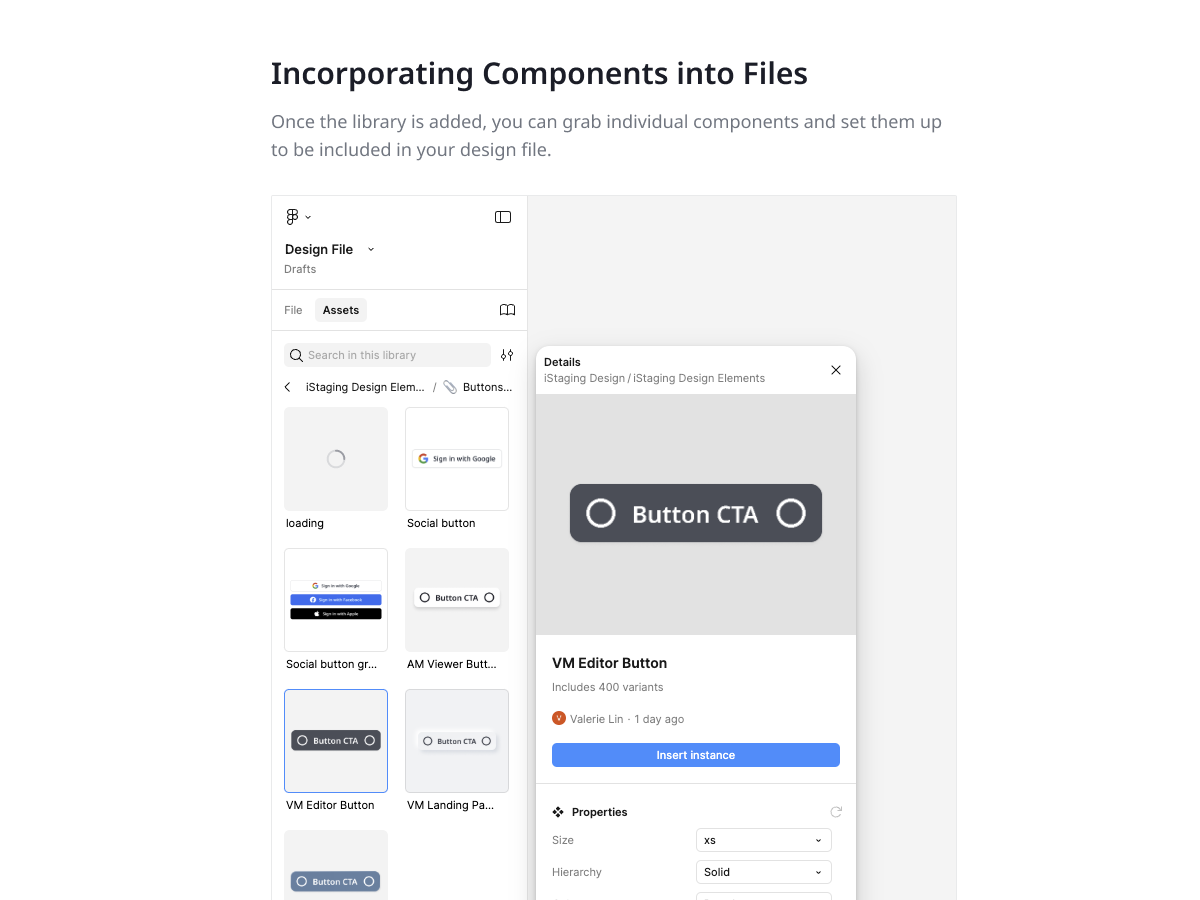
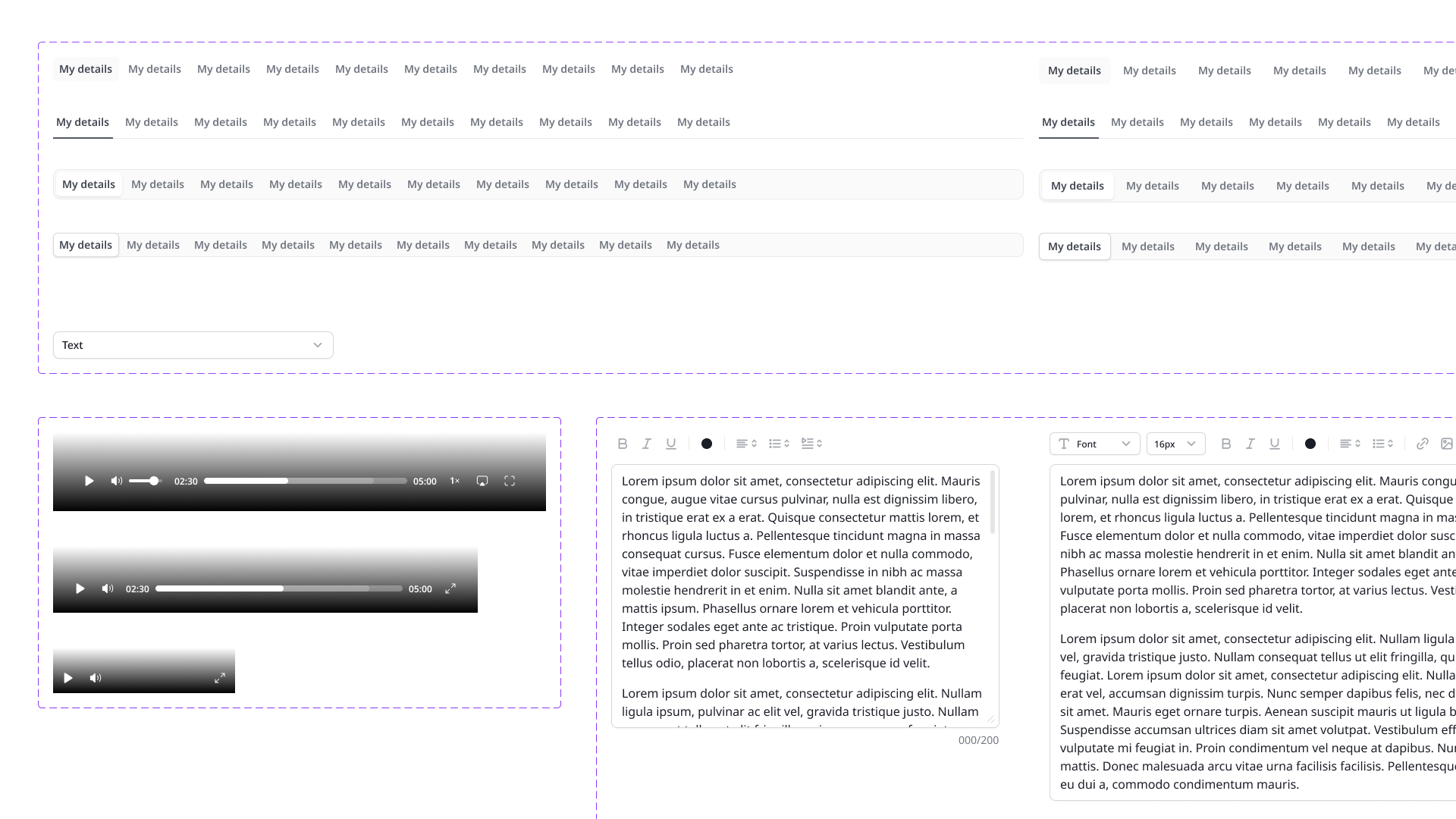
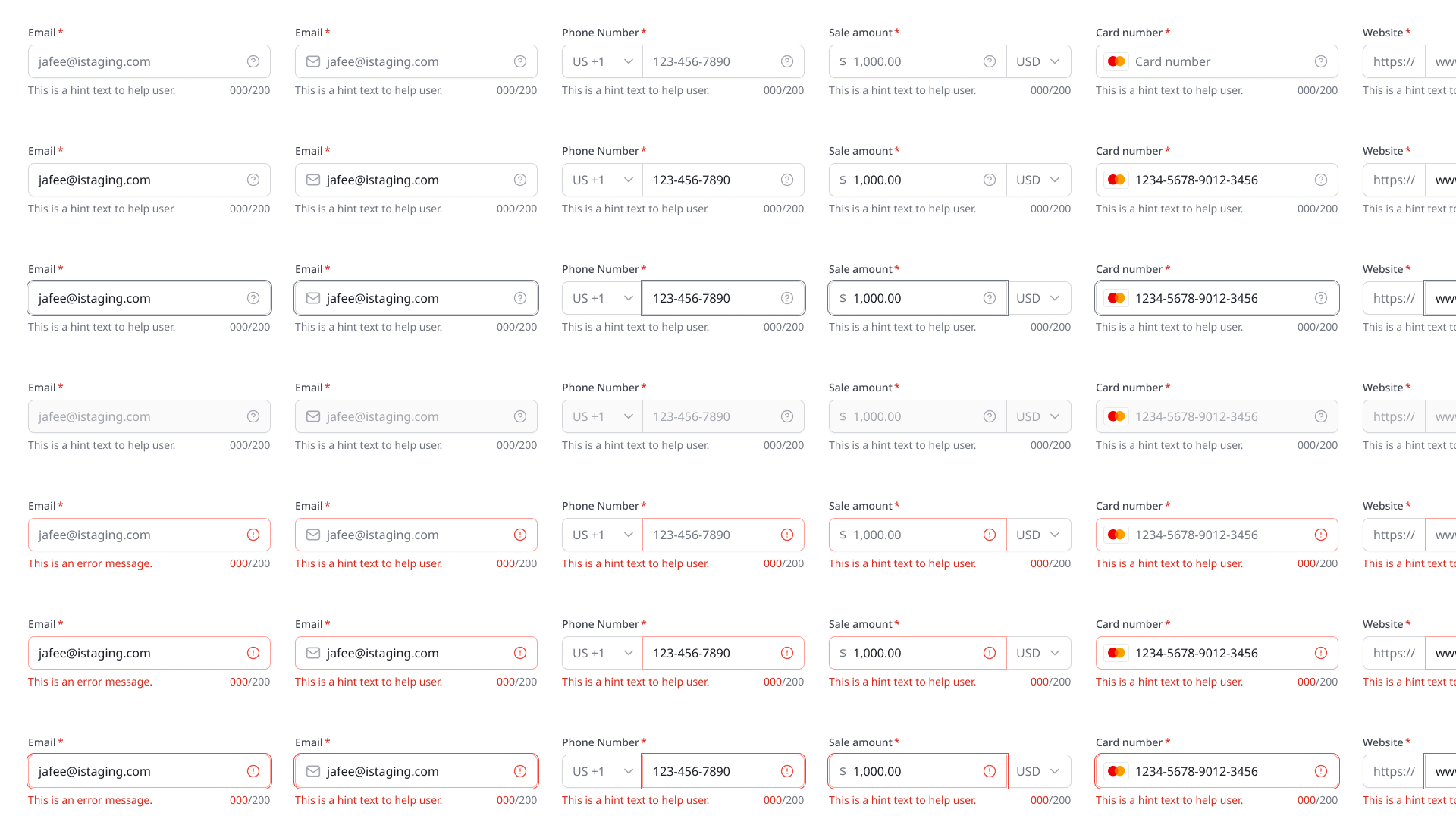
With tokens established, I built the component library on top of them. Every component uses variables rather than static values. Product differentiation is handled through Figma variable modes — a shared component library provides the structure, but each product applies its own mode for brand colors, density, and contextual treatments. The CMS-versus-viewer distinction is handled at the mode level: the same button component renders as a solid, high-contrast element in the editor and as a translucent glass element in the spatial viewer. Light and dark themes layer on top as additional modes. One library serves five products across both interface paradigms.

From Figma to Claude — AI-Powered Workflows

This is where the system becomes more than documentation. Using Claude, I began combining the .fig component files with the product codebase to create an AI-assisted development workflow. Instead of designers handing off static specs and developers rebuilding from scratch, Claude reads the token architecture, understands the brand styles, and generates code-ready components with the right colors, spacing, and structure already applied. Prototypes that used to take days now take hours. The design system went from being a reference document to being active infrastructure that AI can use to generate systematic, brand-consistent output. This also makes it dramatically easier for AI to create and maintain style guides — because the tokens are structured and named systematically, Claude can parse, extend, and generate from them reliably.

Architecture decisions for a one-person system

Foundation 01

Variables over static styles

Figma variables were relatively new when I started, but I committed to a variable-first approach because it solved the core problem: one change needs to propagate everywhere. Static styles require manual updates across files. Variables cascade automatically through modes and references. The initial setup was more complex, but the maintenance cost dropped dramatically — and it made the system AI-readable.

Alignment 02

Token naming that mirrors code conventions

A design system only works if developers can use it without translation. I designed the token hierarchy — primitive > semantic > component — so that every name maps directly to a CSS custom property. Developers don't need a lookup table. The Figma file and the codebase speak the same language, which also means AI tools can bridge them without ambiguity.

Pragmatism 03

80/20 component coverage

As a solo designer, I built components for patterns that appeared in 3+ products and created composition guidelines for one-off patterns. The system covers 80% of use cases with maintained components; the remaining 20% follows documented principles but stays product-specific. This keeps the system alive rather than becoming an abandoned artifact.

Future 04

AI as a design system consumer

Rather than treating the design system as a static deliverable, I structured it so AI tools can consume it directly. The systematic token naming, the variable hierarchy, and the mode structure all make it straightforward for Claude to parse the .fig file, understand the brand intent, and generate code or prototypes that are on-brand from the first output. The design system became the bridge between design intent and AI-generated implementation.

From zero to a system that feeds both humans and AI

60%
faster design-to-development handoff with token-aligned naming
fewer iteration rounds — variable changes propagate instantly
5→1
component libraries consolidated into a single variable-driven source
Hours
not days for AI-assisted prototyping with brand styles pre-applied

Starting from zero meant every architectural decision had long-term consequences. The choice to build on Figma variables rather than static styles paid off in two ways I didn't fully anticipate. First, it made multi-product theming trivial — what would have been five separate systems became one library with mode switching. Second, it made the system AI-ready. When I began exploring Claude workflows, the structured tokens and systematic naming meant AI could parse the design intent without manual translation.

The most significant shift was moving from Figma as a documentation tool to Figma as a shared context layer. Developers reference the same token names in code that I use in design. AI reads the same structure to generate branded prototypes. The design system is no longer something I hand off — it's something that designers, developers, and AI all work from simultaneously. A design system built from scratch, by one person, for an entire product ecosystem — and it keeps evolving.

Figma file available upon request — token architecture, dual-mode component library, and the Claude AI workflow bridge.